On this page
Most WordPress and WooCommerce sites start on shared hosting. It is cheap, it is simple, and for a new site it is enough. Then the site grows. Pages slow down during a sale, the admin area drags, and a support ticket comes back with the same answer every time: upgrade your plan.
The next step up is usually a cloud server from a provider such as DigitalOcean or AWS. Cloud servers are fast and fairly priced, but they arrive empty. Somebody has to install the web server, tune PHP, set up caching, configure a firewall, schedule backups and apply security patches. If that somebody is you, hosting quickly becomes a second job.
Cloudways sits in the gap between those two options. It gives you a cloud server from a well-known provider, and it handles the server management for you. This guide explains what Cloudways offers, how its plans differ, what the features actually do, what it costs, and where its limits are. If you want to follow along in a live account, you can start a free Cloudways trial here while you read.
All plan details and prices below were taken from the Cloudways website in November 2026. Hosting prices change often, so confirm the current figures before you buy.
What is Cloudways?
Cloudways is a managed cloud hosting platform. It describes itself as a host for WordPress, WooCommerce, Magento, Laravel and other PHP applications, and it has recently added Node.js hosting and managed AI agents.
The idea is simple. You do not rent a server from Cloudways directly. You choose a cloud provider, pick a server size and a data centre location, and Cloudways builds and manages that server for you. You get one dashboard to launch servers, install applications, take backups, add SSL certificates and invite team members, without touching a command line unless you want to.
Cloudways currently lets you choose from five cloud providers:
- DigitalOcean
- Vultr
- Linode
- AWS
- Google Cloud
Its website lists more than 50 locations across those providers. For a store that sells mainly in India, for example, you can pick a data centre close to your customers instead of accepting whatever region a shared host happens to use.
Who is Cloudways for?
Cloudways tends to suit four kinds of user:
- Growing WordPress and WooCommerce sites that have outgrown shared hosting and need consistent speed.
- Agencies and freelancers who look after many client sites and want them in one place, with team access and easy cloning.
- Developers who want SSH, Git deployment and staging, but do not want to maintain servers.
- Online stores that see traffic spikes during sales and cannot afford a slow checkout.
It is less suited to someone launching a first hobby blog on the smallest possible budget. A basic shared plan will be cheaper, and that is fine at that stage.
The Cloudways product range
Cloudways now sells several products. The two that matter to most WordPress users are Flexible and Autonomous.
Cloudways Flexible
Flexible is the classic Cloudways product, described as customisable managed hosting. You choose the cloud provider, the server size and the location, and you control the server and application settings. It supports all PHP applications, not only WordPress.
Billing is pay-as-you-go. Each plan has a monthly price and an equivalent hourly rate, so you pay for what you use. There is no long contract; Cloudways says you can upgrade or downgrade at any time with no lock-in.
One server can hold more than one website, which is why Flexible is popular with agencies and with owners of several small sites.
Cloudways Autonomous
Autonomous is described as fully managed hosting for WordPress. It is built for WordPress and WooCommerce only. It runs on Kubernetes with pre-configured autoscaling, which means the platform adds capacity by itself when traffic rises and removes it when traffic falls.
With Autonomous you do not choose or configure a server. You pick a plan, and the platform does the rest. It is the hands-off option for busy stores and for sites with unpredictable traffic. Autonomous runs on DigitalOcean data centres, with locations that include Bangalore, Singapore, London, Frankfurt, Amsterdam, New York, San Francisco, Toronto and Sydney.
Other Cloudways products
- Cloudways Velocity – managed Node.js hosting with flat monthly plans.
- Managed AI Agents – hosted AI agents on fixed monthly plans.
- Cloudways AI Copilot – an assistant that monitors servers and applications and helps fix problems.
- AI Website Builder – a tool for generating a site.
- Client Billing & Reporting – tools aimed at agencies.
The rest of this guide focuses on Flexible and Autonomous, because those are the two a WordPress or WooCommerce site owner will choose between.
Performance features
Speed is the main reason people move to Cloudways, so it is worth looking at what is actually in the stack.
A caching stack that is already set up
Cloudways servers come with integrated Memcached, Varnish, Nginx and Redis caches. On an unmanaged cloud server you would install and tune each of these yourself. Here they are in place from the first minute.
For WordPress, Cloudways also offers its Lightning Stack, which runs NGINX with PHP-FPM at no extra cost. Cloudways says it is up to 65% faster for dynamic sites. That is the company's own figure, so treat it as a claim to test on your own site, not a guarantee.
Breeze and Object Cache Pro
Breeze is Cloudways' own free WordPress cache plugin. It comes pre-installed on WordPress applications, so page caching works without buying a separate plugin.
Object Cache Pro is a premium Redis object cache plugin. Cloudways includes it free on Flexible servers with 4GB of RAM or more. Object caching matters most on dynamic sites, such as WooCommerce stores and membership sites, where many pages cannot be served from a simple page cache.
Modern PHP and databases
Cloudways supports PHP 7.4 through 8.4, and you can switch versions from the dashboard. For databases it offers MariaDB 10.11 or 11.4. Being able to change PHP versions per need is useful when one older plugin holds a site back.
Cloudflare Enterprise add-on
Cloudways sells a Cloudflare Enterprise add-on at $4.99 per month per domain. It adds edge caching, a web application firewall and rate limiting. For a site with visitors in several countries, a content delivery network of this kind shortens the distance between the visitor and the content. On Autonomous, Cloudflare Enterprise is included in the plan.
Security features
A managed host should take routine security work off your plate. Cloudways covers the main areas:
- Server-level firewall. Flexible servers are protected by an Imunify360 firewall. Autonomous plans include a built-in firewall and DDoS protection.
- Free SSL certificates. You can install a Let's Encrypt certificate in one click.
- Bot protection and brute-force protection for SSH and HTTP logins.
- IP whitelisting for SSH and SFTP access, so only approved addresses can connect.
- Vulnerability scanning powered by Patchstack, which flags known weak points in plugins and themes.
- Malware scanning alerts are free. A paid Malware Protection add-on, starting at $4, adds automatic clean-up.
None of this replaces sensible habits such as strong passwords and keeping plugins updated. It does mean the server itself is watched and patched by someone whose job that is.
Backups, staging and cloning
These three features are where managed hosting saves the most time in day-to-day work.
Backups
Cloudways offers one-click backup and restore. Backups can run automatically on a schedule or be taken on demand, for example just before a big update. Offsite backup storage on Flexible is charged at $0.033 per GB, so a small site pays a few cents a month. Autonomous plans include offsite backups.
Staging
A staging site is a private copy of your live site where you can test changes safely. Cloudways includes staging at no extra charge. You can try a new theme, a plugin update or a checkout change on the copy, and push it live only when you are happy.
Cloning
You can clone a single site or a whole server in one click. Agencies use this to keep a ready-made starter site and copy it for each new client. Store owners use it to move a site to a bigger server or a different region.
Site Manager Pro
Site Manager Pro, formerly called SafeUpdates, is a paid add-on that starts at $3. It tests WordPress updates on a staging copy before applying them to the live site. If you manage many sites and updates make you nervous, this removes a regular chore.
Tools for developers and teams
Cloudways does not hide the server from people who want access to it. You get:
- SSH and SFTP access
- Git deployment, so code can be deployed from a repository
- WP-CLI pre-installed for WordPress command-line work
- A cron job manager
- The Cloudways API for automating tasks
- New Relic integration and real-time monitoring of more than 16 server metrics
For teams, you can add members and give each one full or limited access to specific servers and projects. A freelancer can work on one client site without seeing the rest of your account, and nobody needs to share a master password.
Support and migration
Cloudways offers live chat support around the clock, every day of the year. This standard support is included with every plan.
Two paid support tiers sit above it. The Advanced tier adds priority response, help with plugin and theme problems, and a dedicated account manager. The Premium tier adds a private Slack channel and phone access to senior engineers. Most small sites will never need these, but they exist for businesses where downtime is expensive.
Moving an existing site is often the part people fear most. Cloudways offers free managed migrations for WordPress and WooCommerce sites, where its team moves the site for you.
Cloudways pricing
Flexible plans
These are the Flexible plan prices shown on the Cloudways pricing page at the time of writing, in US dollars per month:
| Plan | RAM | vCPU | Storage | Bandwidth | Price per month |
|---|---|---|---|---|---|
| Micro | 1GB | 1 | 25GB NVMe | 1TB | $14 |
| Small | 2GB | 1 | 50GB NVMe | 2TB | $28 |
| Small+ | 2GB | 2 | 60GB NVMe | 3TB | $37 |
| Medium | 4GB | 2 | 80GB NVMe | 4TB | $54 |
| Large | 8GB | 4 | 160GB NVMe | 5TB | $99 |
Cloudways marks Medium as its most popular plan. It is also the smallest size that includes Object Cache Pro. Prices vary by cloud provider and server type, and the company's promotional page lists Flexible pricing as starting from $11 a month.
Flexible has a 5-day free trial, and no credit card is needed to start it.
Autonomous plans
| Plan | Baseline servers | Bandwidth | Disk | Price per month |
|---|---|---|---|---|
| Growth | 1 | 150GB | 20GB | $99 |
| Scale | 2 | 250GB | 50GB | $199 |
| Plus | 3 | 1000GB | 100GB | $399 |
Visits are unmetered on these plans. Usage beyond the plan allowance is billed as an overage: extra disk at $1 per GB, extra bandwidth at $0.04 per GB, and extra autoscaling servers by the hour. Autonomous has a 3-day free trial with no credit card required. There is also a custom Enterprise plan.
Add-ons to budget for
The base price is not always the full price. Depending on what you need, plan for some of these:
- Cloudflare Enterprise: $4.99 per month per domain
- Site Manager Pro: from $3
- Malware Protection: from $4
- Offsite backup storage: $0.033 per GB
- Email mailboxes through the Rackspace add-on, charged per mailbox
The current Black Friday offer
At the time of writing, Cloudways is running what it calls its biggest-ever Black Friday offer: 80% off for 2 months across its products and add-ons, up to $200 off per month.
The details, as stated by Cloudways:
- The promo code is BFCM802.
- It is for new accounts only and cannot be combined with other codes.
- The discount applies to your first two monthly invoices. Standard pricing applies after that.
- You need to create your account with the code by December 4.
As a rough guide, 80% off the $54 Medium plan brings it to $10.80 a month for the first two months, and the $99 Large plan to $19.80.
You can sign up for Cloudways with the BFCM802 code through this link. Check that the code appears on the sign-up form, and enter it by hand if it does not.
Flexible or Autonomous: which should you choose?
Choose Flexible if:
- You want the lowest starting price.
- You run several sites and want them on one server.
- You use applications other than WordPress, such as Laravel or Magento.
- You want to pick the provider and server size yourself.
Choose Autonomous if:
- Your site is WordPress or WooCommerce.
- Your traffic is uneven, with sharp peaks during campaigns or sales.
- You never want to think about server size.
- A slow site during a peak would cost you more than the higher plan price.
One point to remember with Flexible: scaling is something you do, not something that happens by itself. If a server runs short of memory, you resize it from the dashboard. For most small and mid-sized sites that is a rare, two-minute job. If you would rather it happened automatically, that is exactly what Autonomous is for.
Things to know before you sign up
No host is right for everyone. These points are worth knowing in advance.
- Email is not included. Mailboxes are a paid add-on, or you can use a separate email service. If your current host gives you free mailboxes, plan for this.
- It costs more than shared hosting. You are paying for a cloud server and for the management on top. The value is in speed and saved time, not in the lowest price.
- Add-ons add up. Cloudflare Enterprise, Site Manager Pro and Malware Protection are each small charges, but they are charged per domain or per application.
- Autonomous has usage allowances. Disk, bandwidth and extra autoscaling beyond the plan are billed as overages.
- Advertised figures are the company's own. Speed and uptime claims on any host's website are best treated as targets. Use the free trial to measure your own site.
How to get started with Cloudways
- Create an account. Open the Cloudways sign-up page and register. The Flexible trial does not ask for a credit card.
- Choose your application. Pick WordPress, WooCommerce or another supported application.
- Choose a provider, size and location. For a small site, a 1GB or 2GB server is a sensible start. Pick the data centre closest to most of your visitors.
- Launch the server. Cloudways builds it and installs your application.
- Move your site. Request a free managed migration and let the Cloudways team move it.
- Test on the temporary address. Check pages, forms, checkout and admin speed before you change anything public.
- Add your domain and SSL. Point your domain to the server and install the free Let's Encrypt certificate.
- Turn on backups. Set an automatic schedule that matches how often your site changes.
Frequently asked questions
Is Cloudways good for WordPress?
Yes. WordPress is its main focus. Servers come with a built-in caching stack, the free Breeze cache plugin, free SSL, staging and one-click backups.
Is Cloudways good for WooCommerce?
It suits WooCommerce well, because stores depend on dynamic pages such as cart and checkout. Redis and Object Cache Pro help with exactly those pages. Stores with large traffic peaks should also look at the Autonomous plans.
Does Cloudways have a free trial?
Yes. Flexible has a 5-day free trial and Autonomous has a 3-day free trial. Neither needs a credit card to start.
Which cloud provider should I choose?
For most small and mid-sized sites, the choice of location matters more than the choice of provider. Pick a data centre near your visitors, start small, and resize later if you need to.
Does Cloudways include email hosting?
No. Mailboxes are available as a paid add-on, or you can keep your email with a separate provider.
Can I host more than one website on a Cloudways server?
On Flexible, yes. One server can hold several applications, limited by the server's resources. On Autonomous, the Growth plan includes one website.
Will Cloudways move my site for me?
Cloudways offers free managed migrations for WordPress and WooCommerce sites.
Do I need technical skills to use Cloudways?
No server administration skills are needed for everyday tasks. Launching a server, adding SSL, taking backups and creating a staging site are all done from the dashboard. Developers who want SSH and Git still have them.
Final thoughts
Cloudways is a practical middle path. You get the speed of a real cloud server from a provider you have heard of, without having to become a server administrator. The caching stack, backups, staging, firewall and round-the-clock support are there from the start, and you can try all of it before paying.
If your site has outgrown shared hosting, the free trial is the easiest way to find out whether it makes a real difference for you. Move a copy of your site across, measure the speed, and decide from your own numbers.
Try Cloudways free and claim 80% off your first two months with code BFCM802 while the offer is open.
Keep reading
View all →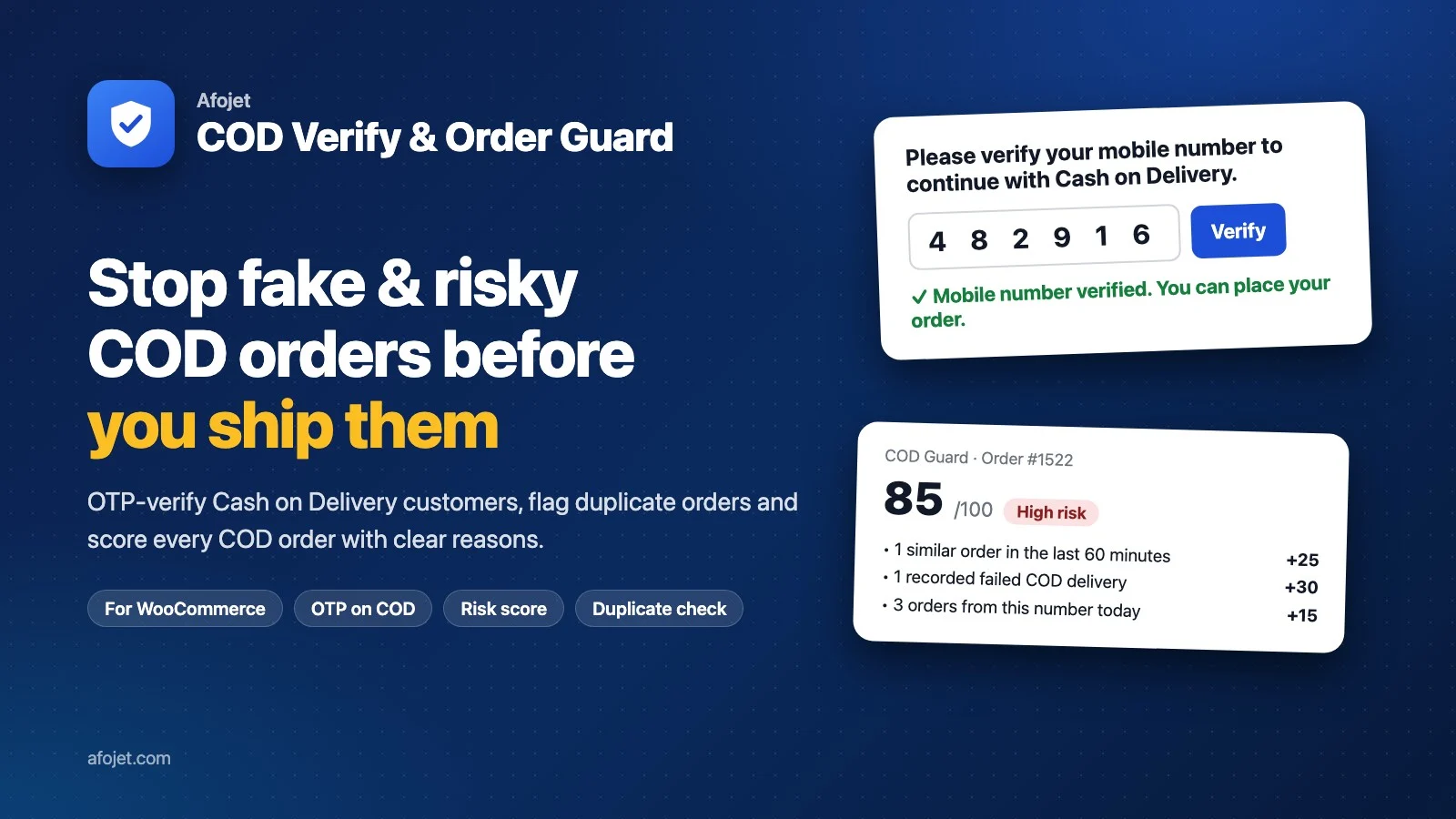 WooCommerce
How to Reduce Fake COD Orders in WooCommerce with Free OTP Verification
 WooCommerce
Top 5 WooCommerce Security Plugins You Need in 2025
WooCommerce powers millions of online stores, making it one of the most popular eCommerce platforms in the world. But popularity comes with a price: hackers, spammers, and bots constantly target WooCommerce sites. From brute-force login attempts to fake registrations and malware…
 WooCommerce
Comments
No comments yet. Be the first!
Leave a comment