Stop Fake WooCommerce Orders & Build Customer Trust with WhatsApp Business API – WATI + Afojet Plugins
On this page
Are fake orders, unverified customers and unwanted Cash on Delivery (COD) orders hurting your WooCommerce business? It's time to make your store smarter with WhatsApp Business API!
Running a WooCommerce store is not just about getting orders. It's about getting genuine orders from real customers.
Many online store owners face a common problem: customers place orders using incorrect phone numbers, fake details or without understanding the purchase process. Sometimes, when the store owner calls to confirm the order, the customer simply says:
"I didn't place this order!"
This creates unnecessary problems for store owners, including wasted packaging costs, courier charges, return-to-origin (RTO) expenses and lost business opportunities.
One effective way to improve customer verification and communication is by integrating WhatsApp Business API into your WooCommerce store.
With WATI WhatsApp Business API and Afojet WooCommerce plugins, businesses can build a more reliable customer communication and verification workflow.
Let's understand how it works.
1. Common WooCommerce Problems Every Store Owner Faces
WooCommerce makes it easy for customers to place orders. However, an easy checkout process can also attract fake, accidental or unverified orders.
Here are some common problems experienced by online store owners.
Problem 1: Customers Say "I Didn't Place This Order"
Imagine this situation:
A customer visits your website, adds products to the cart and completes checkout using Cash on Delivery.
Your store receives the order.
You prepare the product, pack it and hand it over to the courier company.
But when the delivery executive contacts the customer, the customer refuses to accept the parcel.
The customer says:
- I didn't order anything.
- Someone else placed this order.
- I don't want this product.
- I never confirmed this purchase.
Now your business has to deal with shipping costs, return charges and wasted operational time.
Problem 2: Fake Phone Numbers During Registration
Some visitors create WooCommerce accounts using:
- Incorrect mobile numbers.
- Temporary or invalid phone numbers.
- Someone else's contact details.
- Fake customer information.
- As a result, store owners cannot reliably contact these customers for order updates, delivery coordination or customer support.
Problem 3: Fake and Unwanted COD Orders
Cash on Delivery is an important payment option for Indian eCommerce businesses.
However, COD orders also create additional risks:
- Customers place orders without making an advance payment.
- Duplicate orders are submitted.
- Customers refuse delivery.
- Orders are placed accidentally.
- Competitors or bots may submit unwanted orders.
Every unsuccessful delivery can increase your RTO expenses.
Problem 4: Customers Miss Important Order Updates
Traditional email notifications are not always noticed by customers.
Customers may miss:
- Order confirmation emails.
- Payment notifications.
- Shipping updates.
- Delivery notifications.
- Important announcements.
WhatsApp provides a familiar communication channel where customers can receive business messages.
Problem 5: Manual Order Confirmation Takes Time
Many store owners manually call customers to confirm COD orders.
This becomes difficult when a store receives 50, 100 or 500 orders every day.
Your team spends valuable time calling customers instead of focusing on sales, fulfilment and business growth.
2. How WhatsApp Business API Helps Solve These Problems
WhatsApp Business API provides businesses with a way to communicate with customers through an official WhatsApp business messaging platform.
Unlike ordinary WhatsApp communication, the API allows businesses to connect WhatsApp messaging with websites, CRM systems, eCommerce platforms and automation tools.
With a platform like WATI, businesses can manage customer conversations and integrate WhatsApp messaging into their business workflows.
Major Advantages of WhatsApp Business API
1. Automated Customer Communication
Send automated WhatsApp notifications for important customer activities, including order updates, payment information and delivery notifications.
2. Customer Verification
Use WhatsApp OTP verification workflows to confirm that customers have access to the phone number they provide.
This helps reduce fake registrations and unverified customer details.
3. Automated COD Order Confirmation
Ask customers to confirm their COD orders through WhatsApp before the store processes them.
An example:
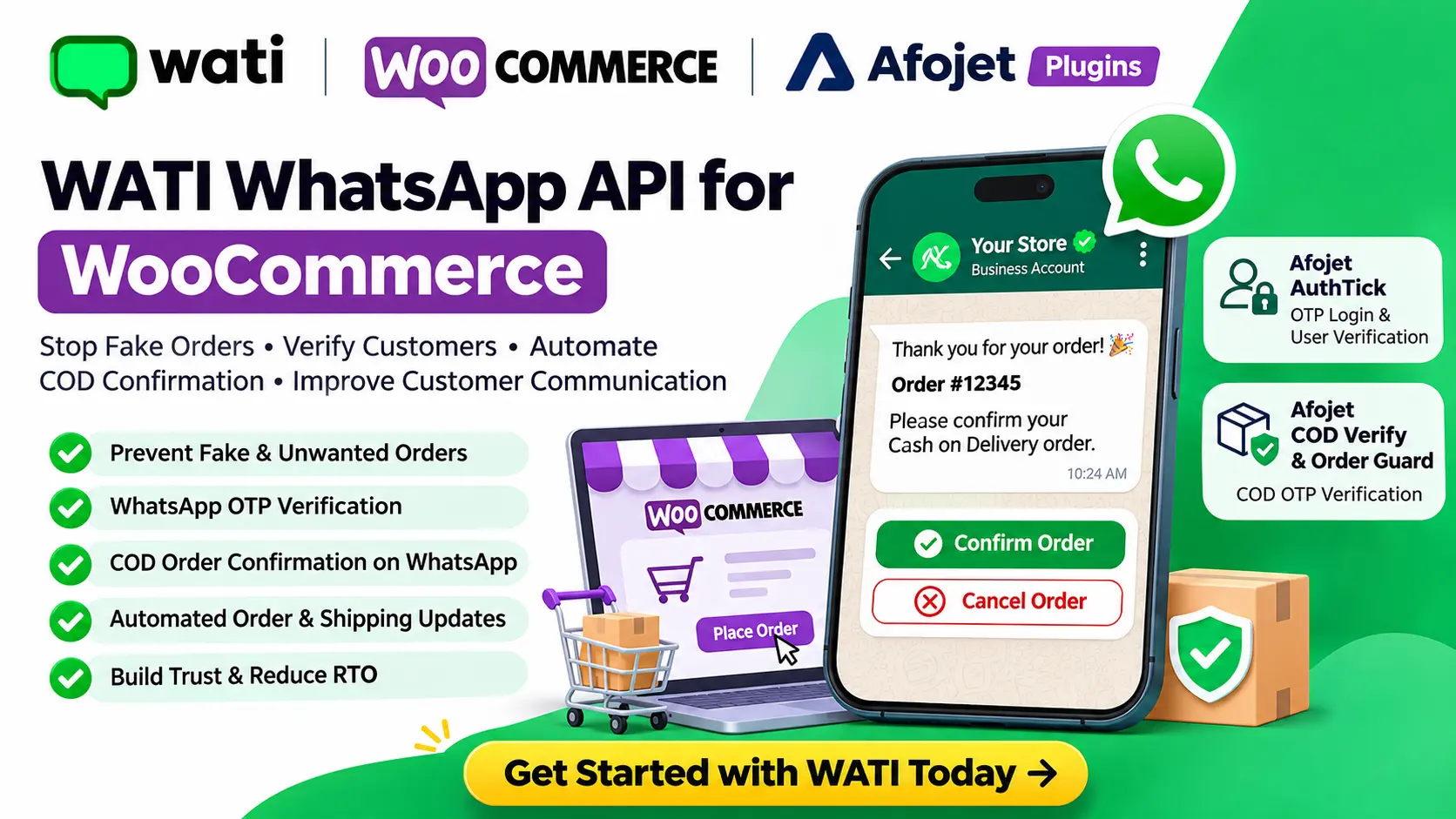
"Thank you for shopping with us! Please confirm your Cash on Delivery order."
Customers can confirm or request cancellation through an appropriate interactive workflow.
4. Reduce Fake and Accidental Orders
Adding a verification step makes it harder for someone to submit an order using a phone number they cannot access.
It can help reduce accidental orders, fake contact details and certain types of fraudulent activity.
5. Improve Customer Experience
Customers can receive timely updates without having to visit your website repeatedly.
6. Centralised Customer Communication
WATI provides a shared team inbox where businesses can manage customer conversations and coordinate support activities.
7. WhatsApp Marketing Campaigns
With appropriate customer consent and approved message templates, businesses can send promotional campaigns, product announcements and special offers.
8. Automated Customer Support
Set up automated responses for frequently asked questions, product enquiries, business hours and customer support requests.
3. Why Choose WATI for Your WooCommerce Business?
WATI is a WhatsApp Business communication and automation platform that helps businesses manage conversations, automate messaging and connect their existing business systems through APIs.
Website: https://www.wati.io/
Some useful WATI capabilities include:
- Official WhatsApp Business Platform connectivity.
- WhatsApp team inbox.
- Automated customer conversations.
- WhatsApp message templates.
- Customer broadcasts and campaigns.
- API integrations.
- Webhooks and automation workflows.
- Customer contact management.
- Business messaging and analytics.
WATI + WooCommerce: A Powerful Combination
When connected through a suitable integration, WATI and WooCommerce can support workflows such as:
| WooCommerce Activity | WhatsApp Automation |
|---|---|
| New customer registration | Customer verification |
| New COD order | Order confirmation request |
| Order processing | Order status notification |
| Order shipped | Shipping notification |
| Order delivered | Delivery notification |
| Abandoned cart | Customer follow-up |
| Customer enquiry | Automated response |
The exact workflows depend on your integration, WATI plan, WhatsApp permissions and approved templates.
4. How to Start Using WATI WhatsApp Business API
Getting started with WATI is straightforward.
Follow these steps to set up your WhatsApp Business communication platform.
Step 1: Create Your WATI Account
Visit WATI using the following link:
Get Started with WATI:
https://affiliates.wati.io/liwgrhn424mu
This is our affiliate registration link. If you register through this link, Afojet may earn a commission at no additional cost to you.
Create your account and follow the onboarding instructions.
Step 2: Connect Your WhatsApp Business Number
During onboarding:
- Connect your business WhatsApp number.
- Complete the required number verification.
- Configure your WhatsApp Business profile.
- Complete any required Meta business verification.
- Follow the WATI onboarding process.
Use a dedicated business number where practical, and check the current number eligibility and migration options before connecting an existing WhatsApp number.
Step 3: Configure Your WhatsApp Message Templates
WhatsApp requires approved templates for business-initiated messages outside the applicable customer-service window.
You can prepare templates for:
- OTP verification.
- COD order confirmation.
- Order confirmation.
- Order shipped.
- Order delivered.
- Payment reminders.
- Customer notifications.
Make sure your templates follow WhatsApp's current policies and are approved before using them.
Step 4: Get Your WATI API Credentials
To connect WATI with another application, you need the API credentials provided by your WATI account.
Generally, you will need:
- WATI API endpoint or regional host.
- API access token.
- Appropriate API permissions.
- Approved WhatsApp message templates.
Keep your API credentials private. Never publish your access token in frontend JavaScript, public documentation or source code.
Official API documentation:
https://docs.wati.io/docs/getting-started
Step 5: Connect WATI with Your WooCommerce Store
The next step is connecting your WooCommerce store with WATI.
Depending on the integration, this can be achieved using:
- A compatible WooCommerce plugin.
- WATI API integration.
- Webhooks.
- Custom WordPress development.
- An automation platform.
Once configured, WooCommerce events can trigger the relevant WhatsApp workflows.
5. Use Afojet Plugins to Improve WooCommerce Security
Afojet develops WordPress and WooCommerce plugins designed to improve store functionality, customer verification and business automation.
Explore Afojet:
Here are two useful plugins for WooCommerce store owners.
A. Afojet AuthTick – OTP Login & User Verification for WooCommerce
Product: https://www.afojet.com/product/afojet-authtick-otp-login-user-verification-for-woocommerce
Afojet AuthTick helps WooCommerce store owners improve customer authentication through WhatsApp OTP verification using Meta WhatsApp Cloud API.
Key Features:
- Passwordless WhatsApp OTP login.
- Customer phone number verification during registration.
- WhatsApp OTP verification for new accounts.
- Login and registration functionality.
- Checkout login support.
- Contact Form 7 phone verification.
- Security controls against OTP abuse.
- Customisable login interface.
How does it help?
Instead of allowing customers to register with an unverified phone number, AuthTick can require them to verify their number using a one-time password.
This helps prevent fake registrations and improves the reliability of customer contact information.
Note: The currently listed AuthTick integration uses Meta WhatsApp Cloud API directly. WATI connectivity is not advertised as a built-in feature. If you specifically want to use WATI for AuthTick messaging, a compatible integration or custom development is required.
B. Afojet COD Verify & Order Guard – COD OTP Verification for WooCommerce
Product: https://www.afojet.com/product/afojet-cod-verify-order-guard
COD Verify & Order Guard helps WooCommerce businesses verify customers before accepting Cash on Delivery orders.
Key Features:
- OTP verification for COD orders.
- Verification for guest and registered customers.
- Classic WooCommerce checkout support.
- WooCommerce Checkout Block support.
- Compatible with HTTP API-based SMS gateways.
- Secure OTP storage.
- OTP expiry and resend restrictions.
- Protection against repeated verification attempts.
How does it help?
Before a COD order is accepted, customers must verify their mobile number using an OTP.
This adds an additional verification step and helps reduce orders submitted using incorrect or inaccessible phone numbers.
Note: The currently listed plugin supports SMS gateways through HTTP APIs. WATI WhatsApp integration is not a built-in feature advertised for this plugin.
6. Recommended WooCommerce WhatsApp Automation Workflow
Here is an example of how a WooCommerce store can combine customer verification and WhatsApp communication.
Step 1: Customer visits your website
The customer selects products and proceeds to checkout.
Step 2: Customer verifies their mobile number
Use a suitable OTP verification integration before accepting the order.
Step 3: Customer places a COD order
WooCommerce creates the order after successful verification.
Step 4: WATI sends an order confirmation message
An integrated workflow can send an approved WhatsApp template asking the customer to confirm the purchase.
Example:
"Hello {{1}}, thank you for shopping with {{2}}!
We have received your Cash on Delivery order #{{3}}.
Please confirm your order using the available confirmation option."
Step 5: Customer confirms the order
The integration processes the customer's response and updates the WooCommerce order status according to your configured rules.
Step 6: Customer receives shipping updates
When the order is shipped or delivered, the configured workflow can send the relevant WhatsApp notification.
The integration must be configured to handle customer responses, duplicate events, failed messages and order status changes correctly.
7. WATI WhatsApp API vs Regular WhatsApp Business App
Why should a growing WooCommerce business consider the WhatsApp Business API instead of relying only on the regular WhatsApp Business App?
| Feature | Regular WhatsApp Business App | WATI / WhatsApp Business API |
|---|---|---|
| Personal customer communication | Yes | Yes |
| Automated messaging integrations | Limited | Yes |
| WooCommerce API integration | Not native | Supported through integration |
| Automated order notifications | Limited | Yes |
| Team inbox | Limited app features | Yes |
| Chatbot automation | Limited | Yes |
| API access | No general business API | Yes |
| Bulk business campaigns | App restrictions | Campaign tools with policy compliance |
For businesses receiving a growing number of orders, API-based communication can provide better automation and team management.
8. Is WATI Free?
WATI offers different subscription options depending on your business requirements.
Pricing and features may vary depending on your selected plan, country and usage.
Before subscribing, check:
- Monthly or annual subscription charges.
- WhatsApp message charges.
- Number of team members.
- API access and usage limits.
- Automation capabilities.
- Webhook availability.
- Integration requirements.
Check the latest pricing:
https://www.wati.io/en/pricing/
Remember that WhatsApp messaging charges and WATI subscription charges may be separate.
9. Who Should Use WATI WhatsApp Business API?
WATI can be useful for businesses that want to improve communication and automate customer interactions.
It is particularly useful for:
- WooCommerce store owners.
- Fashion and clothing stores.
- Electronics stores.
- Supermarkets and grocery stores.
- Beauty and cosmetics businesses.
- Online retailers.
- D2C brands.
- Businesses receiving multiple COD orders.
- Businesses with dedicated customer support teams.
If your business receives regular orders and customer enquiries, WhatsApp automation can help reduce manual work and improve communication.
10. Get Started with WATI and Afojet Today!
Fake orders, incorrect phone numbers and unverified customers can create unnecessary expenses for your WooCommerce business.
You don't have to depend entirely on manual phone calls to manage every customer interaction.
With a suitable combination of WooCommerce plugins and WhatsApp Business API automation, you can build a better customer verification and communication process.
Start with these resources:
1. Create Your WATI Account
https://affiliates.wati.io/liwgrhn424mu
2. Explore Afojet AuthTick
https://www.afojet.com/product/afojet-authtick-otp-login-user-verification-for-woocommerce
3. Explore Afojet COD Verify & Order Guard
https://www.afojet.com/product/afojet-cod-verify-order-guard
4. Explore More WooCommerce Plugins
Final Thoughts
Your WooCommerce store needs more than just a checkout page. It needs genuine customers, reliable communication and a secure ordering process.
WATI helps businesses manage WhatsApp communication and automation, while Afojet plugins provide useful WooCommerce tools for customer authentication and COD verification.
Reduce fake registrations. Verify customers. Improve communication. Build a smarter WooCommerce store with Afojet and WATI.
Affiliate Disclosure: This article contains an affiliate link to WATI. If you sign up through our link, Afojet may receive a commission. This does not increase your subscription cost. We recommend evaluating WATI's features and pricing before purchasing.
Keep reading
View all → Hosting
VPS Server Reboot Issue: Root Cause & Permanent Fix
Unexpected server reboots and websites becoming inaccessible are among the most frustrating problems for VPS users. Many VPS environments experience random downtime, Apache freezes, or sudden performance issues without clear error messages.
How license keys work for our plugins
Activate, move and renew your license keys in a few clicks.
 WooCommerce
Boost WooCommerce Security with WhatsApp OTP Plugin
Protect your WooCommerce store with WhatsApp OTP login. Discover how Afojet WhatsApp OTP Plugin makes logins safer and easier.
Comments
No comments yet. Be the first!
Leave a comment