Afojet Currency Converter – Free Multi-Currency Switcher for WooCommerce
by Afojet InfotechWordPress plugin✓ Updated 5 Nov 2026v1.0.0
Free WooCommerce plugin: show prices in your customers' currencies with your own exchange rates, a currency switcher and a price filter that follows the selected currency.
Unlimited currencies with your own rates
Switcher and price filter in the shopper's currency
Free – no licence key needed
Works with
WWooCommerce 7.0+WWordPress 6.0+cclassic checkoutCCart and Checkout blocksHPHPOS
Afojet Currency Converter shows your WooCommerce prices in the currencies your customers use. Add US dollars, pounds, euros, dirhams or any other currency, set the exchange rate yourself, and let shoppers switch with one click.
Features
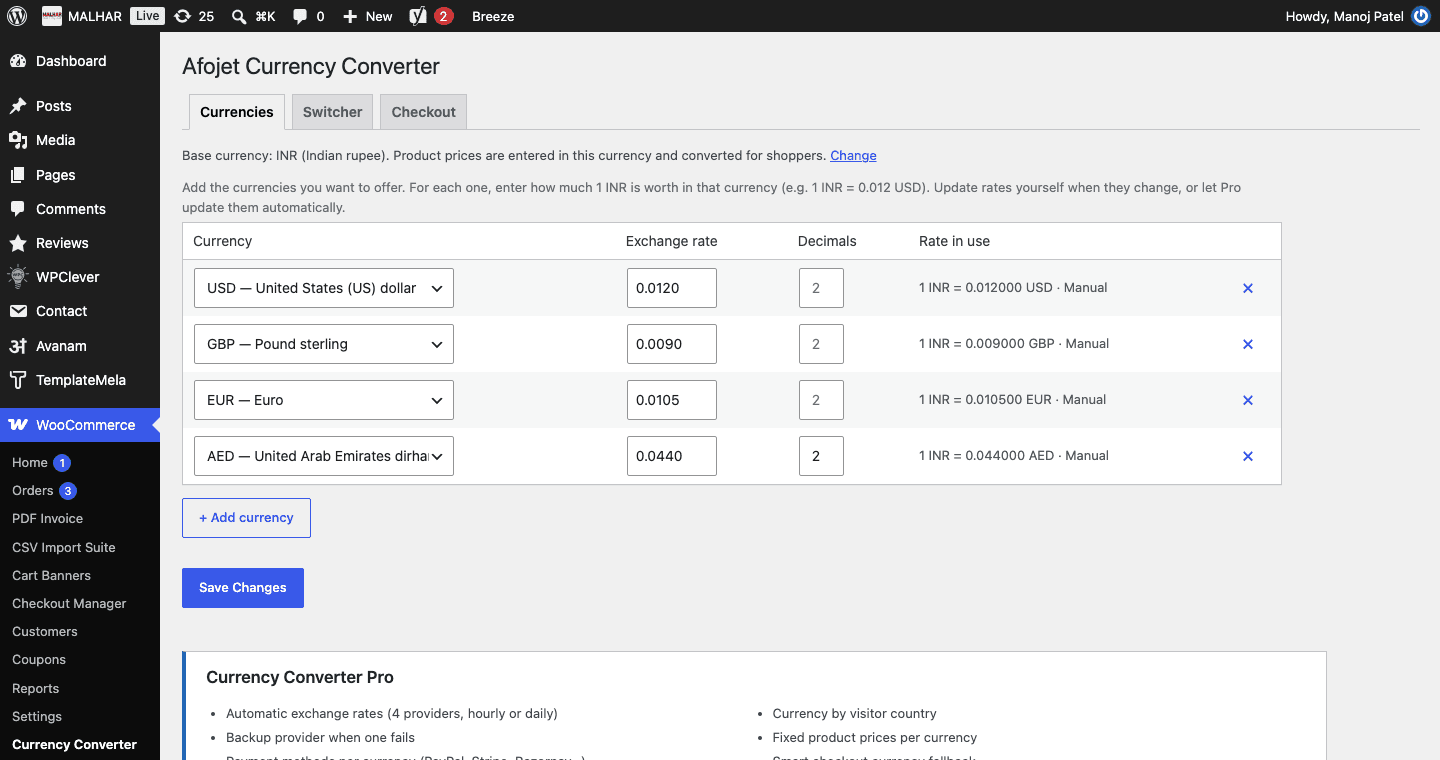
Unlimited currencies next to your store's base currency, each with your own exchange rate and number of decimals.
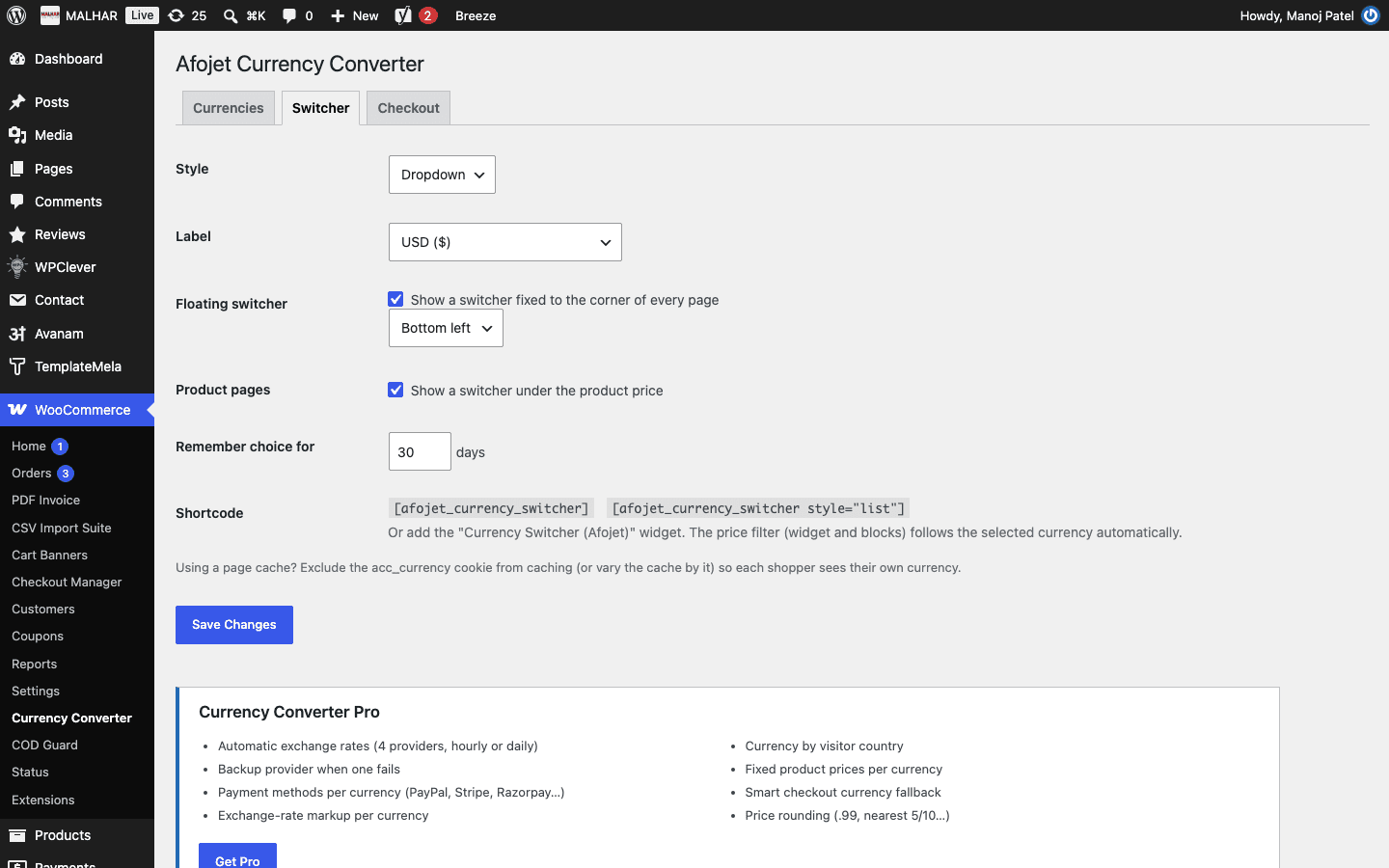
Currency switcher – as a dropdown or list of links, through a shortcode, a widget, a floating button or under the price on product pages.
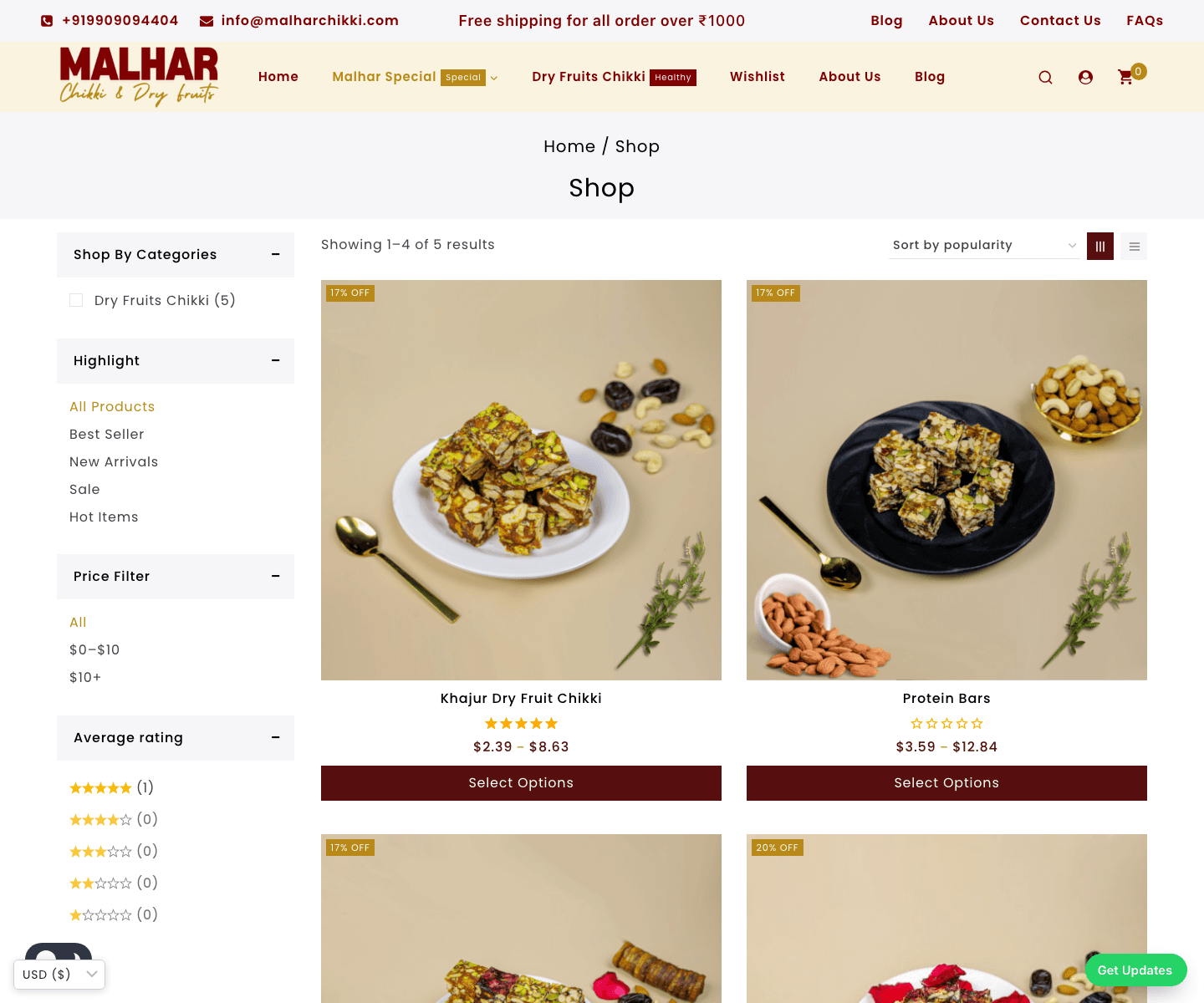
Converted prices everywhere – products, variations, shipping, coupons and free-shipping minimums, on the classic cart and checkout and the Cart and Checkout blocks.
Price filter in the selected currency – the WooCommerce price filter widget, product filter blocks and the TemplateMela/Avanam theme price filter all follow the shopper's currency.
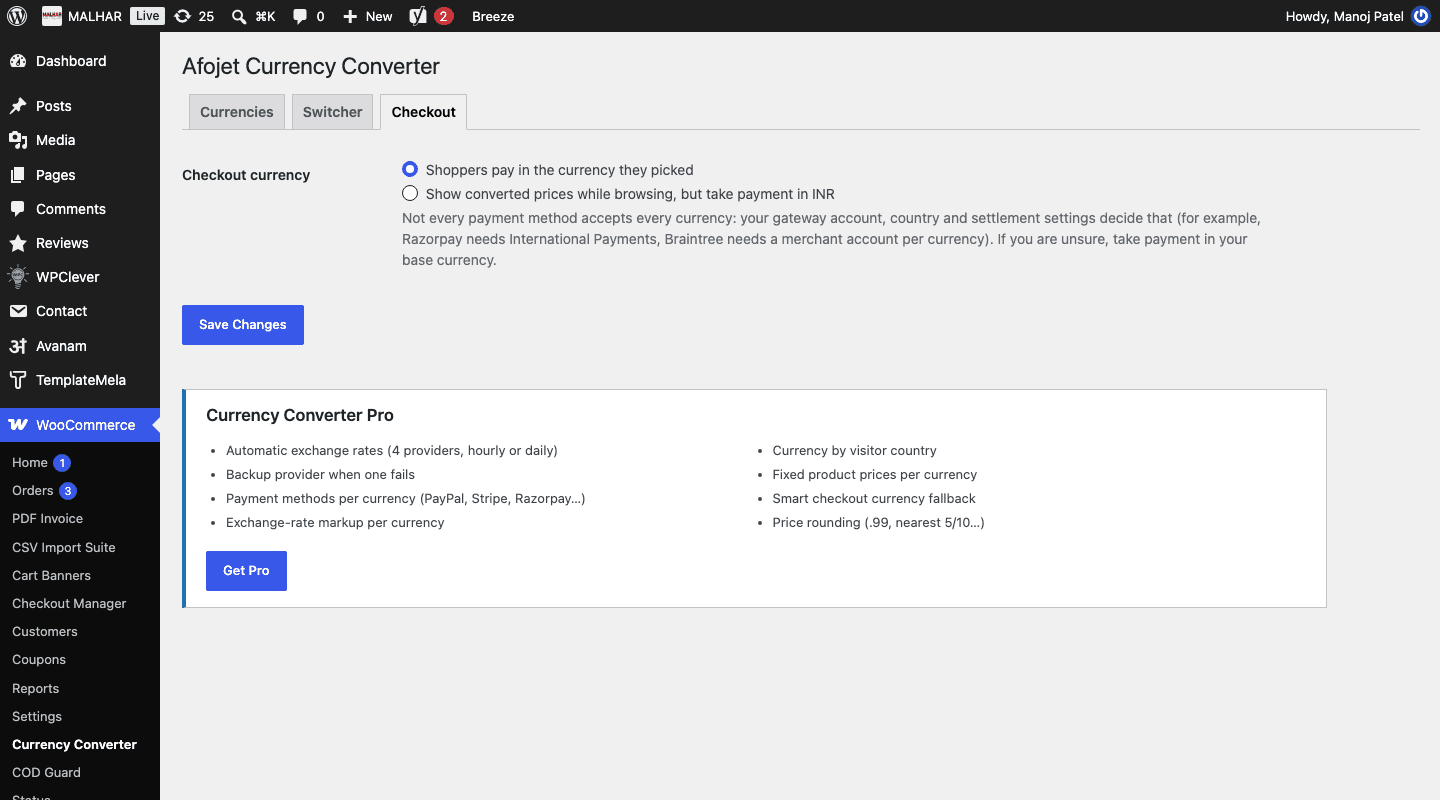
Checkout currency – let shoppers pay in the currency they picked, or show converted prices while browsing and take payment in your base currency.
Order records – each order keeps the base currency, the exchange rate used and the base-currency total, shown on the order screen. Refunds use the order's currency.
HPOS compatible. No calls to outside services.
Want rates to update themselves?
Currency Converter Pro adds automatic exchange rates from four providers with backups, payment methods per currency, rate markup, price rounding, fixed product prices per currency, currency by country and a smart checkout fallback.
Good to know
Not every payment method accepts every currency: your gateway account decides that. If you are unsure, choose "take payment in the base currency" on the Checkout tab. Using a page cache? Exclude the acc_currency cookie from caching so each shopper sees their own currency.
Features
Why choose Afojet Currency Converter
Unlimited currencies
Offer every currency your customers use.
Your own rates
Set and update each exchange rate yourself.
Price filter
Price ranges follow the shopper's currency.
Safe checkout
Pay in the shopper's or your base currency.
Your currencies, your rates
Add as many currencies as you need next to your base currency and set each exchange rate yourself.
Unlimited currencies
Decimals per currency
Rate in use shown for every currency
Currency switcher
Shoppers pick their currency in one click and it is remembered on their next visit.
Dropdown or list of links
Shortcode, widget, floating button or product page
Code, symbol or full name as the label
Prices and price filter converted
Product, variation, shipping and coupon amounts follow the selected currency, and so does the price filter.
WooCommerce price filter widget and filter blocks
TemplateMela / Avanam theme price filter
Classic checkout and Cart & Checkout blocks
Checkout and orders
Take payment in the shopper's currency or in your base currency, and keep a clear record on every order.
Base currency, rate and base total saved with the order
Refunds in the order's currency
HPOS compatible
How Afojet Currency Converter works
1
Download and install
Get the zip from your afojet.com account and upload it under Plugins → Add New.
2
Add your currencies
Under WooCommerce → Currency Converter, add each currency and its exchange rate.
3
Show the switcher
Use the [afojet_currency_switcher] shortcode, the widget, or switch on the floating switcher.
4
Choose the checkout currency
Let shoppers pay in their currency, or take payment in your base currency.
Screenshots
See every screen
Click a picture to see it full size.
Download
Get Afojet Currency Converter free
Free download
Free
Create a free account to download.
Instant download after payment
Licence key emailed to you
Secure payment
7DAYS
7-day money-back guarantee
Not happy with your purchase? Contact us within 7 days of buying and we'll refund you in full.
Reviews
What buyers say
—
No reviews yet
5 ★0
4 ★0
3 ★0
2 ★0
1 ★0
Only verified buyers can review.Log in if you bought it.
FAQ
Questions before you buy
How do I keep exchange rates up to date?
Edit them on the Currencies tab whenever they change. Currency Converter Pro can update them automatically from four providers.
Will my payment gateway accept other currencies?
It depends on your gateway account. If you are unsure, choose "take payment in the base currency" on the Checkout tab, so shoppers see converted prices but pay in your currency.
Does it work with page caching?
Exclude the acc_currency cookie from your cache, or vary the cache by it, so each shopper sees their own currency.
Which currency are orders saved in?
The currency the shopper paid in. The base currency, rate and base total are saved with the order.
What does Pro add?
Automatic exchange rates with backup providers, payment methods per currency, rate markup, price rounding, fixed product prices per currency, currency by country and a smart checkout fallback.
Changelog
What’s new
Version 1.0.0
Latest
1.0.0
First release.
Unlimited currencies with your own exchange rates and decimals.
Currency switcher: shortcode, widget, floating and product page.
Converted product, variation, shipping and coupon prices.
Price filter in the selected currency (WooCommerce widget, filter blocks, TemplateMela/Avanam themes).
Checkout in the shopper's or the base currency.
Base currency, rate and base total saved with every order.
Get Afojet Currency Converter free
Instant download · updates and support from the developers