Afojet ExamReady – Coaching Student & Mock Test Manager
by Afojet InfotechWordPress plugin✓ Updated 13 Nov 2026v1.0.0
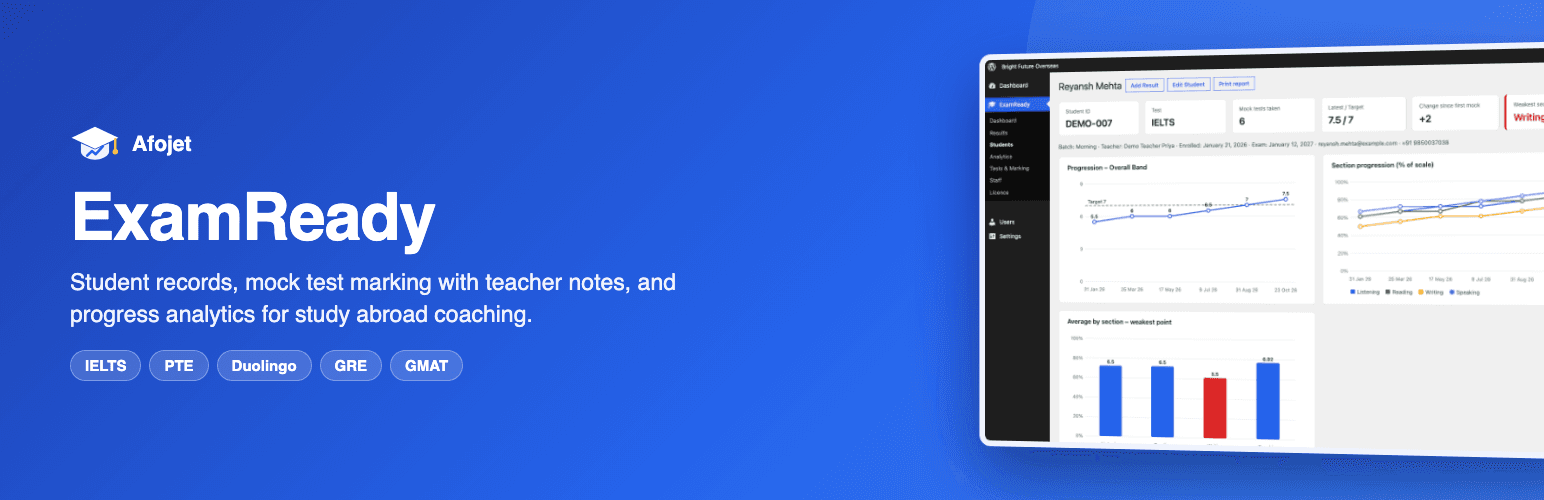
Student records, IELTS / PTE / Duolingo / GRE / GMAT mock tests with teacher notes, and progress analytics for study abroad consultants.
IELTS, PTE, Duolingo, GRE and GMAT marking built in
Teacher notes for every section of every mock
See the weakest point before the real exam
Works with
WWordPress 6.2+PHPHP 7.4+anany theme
Afojet ExamReady is a WordPress plugin for study abroad consultants and coaching institutes. Keep every student's record in one place, mark IELTS, PTE, Duolingo, GRE and GMAT mock tests with section-wise teacher notes, and see each student's progress and weakest area before they book the real exam.
No spreadsheets, no lost answer sheets: teachers enter scores and notes, the overall band or score is worked out for them, and the dashboard shows how every batch is doing.
What you get
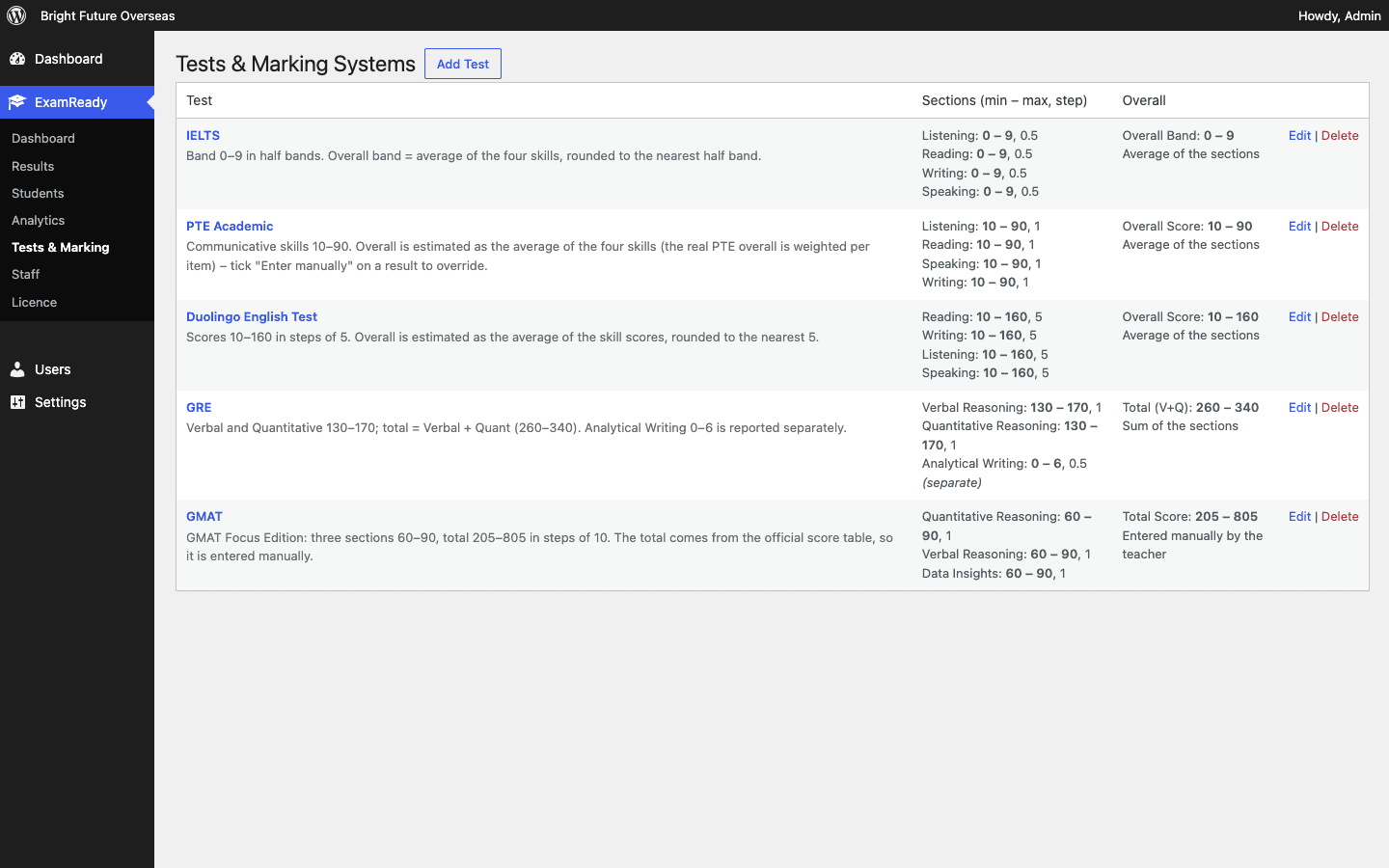
Ready-made marking systems – IELTS (0–9 in half bands, overall band rounded the official way), PTE Academic (10–90), Duolingo English Test (10–160 in steps of 5), GRE (Verbal + Quant 260–340, Analytical Writing separate) and GMAT Focus (205–805). Add, edit or delete tests and create your own, with any sections, minimum, maximum and step.
Students – add, edit and delete students with Student ID, email, WhatsApp number, test, target score, batch, teacher, enrolment date, real exam date and status.
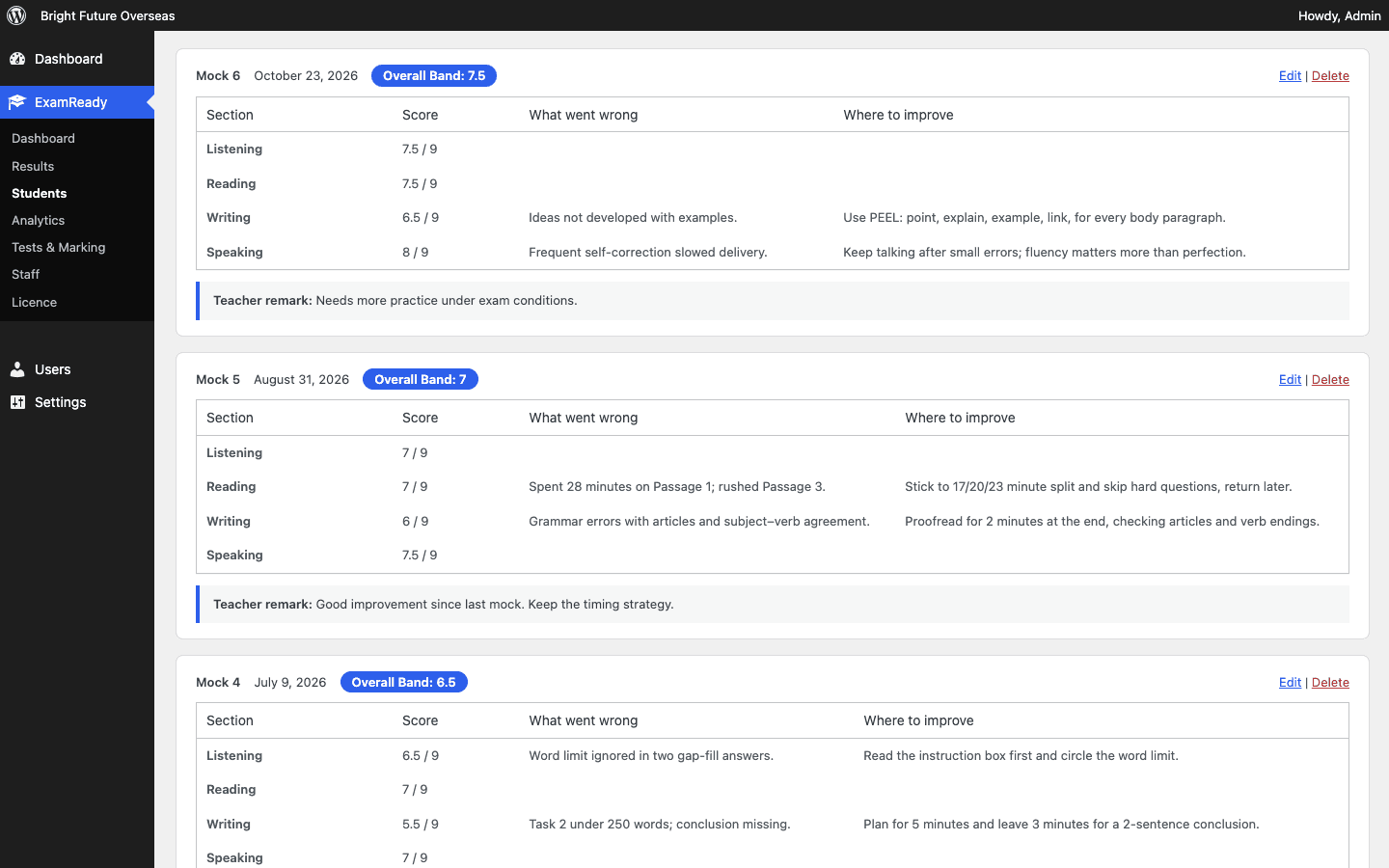
Mock test results with teacher notes – for every section the teacher writes what went wrong and where to improve, plus an overall remark. Scores are checked against each test's range and step.
Dashboard – number of enrolments, active students, enrolments per month and per test, mocks marked, and the weakest section for each test.
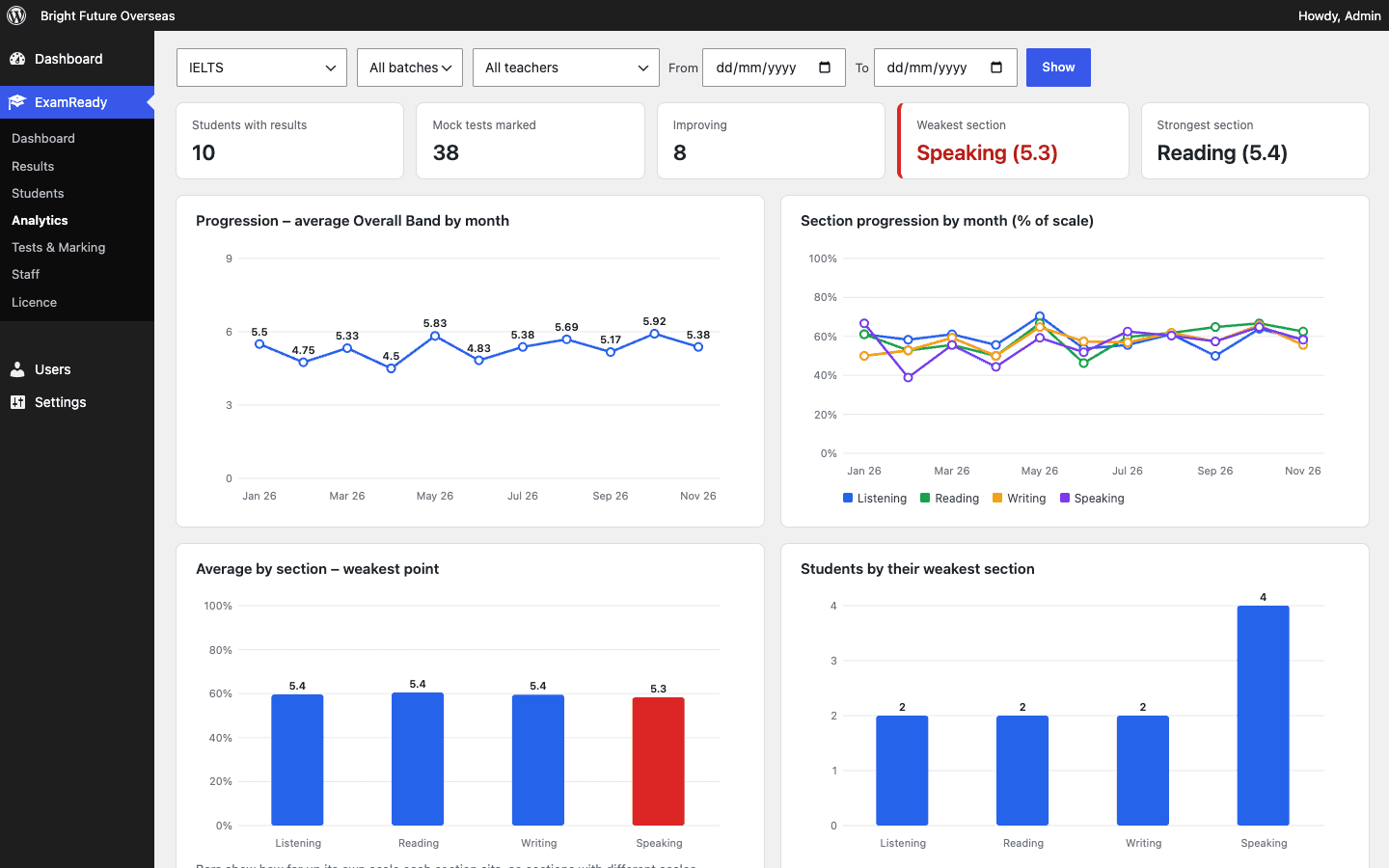
Analytics – progression month by month, section-by-section trends, the weakest and strongest sections, students who need attention (falling scores or below target) and top improvers. Filter by test, batch, teacher and date.
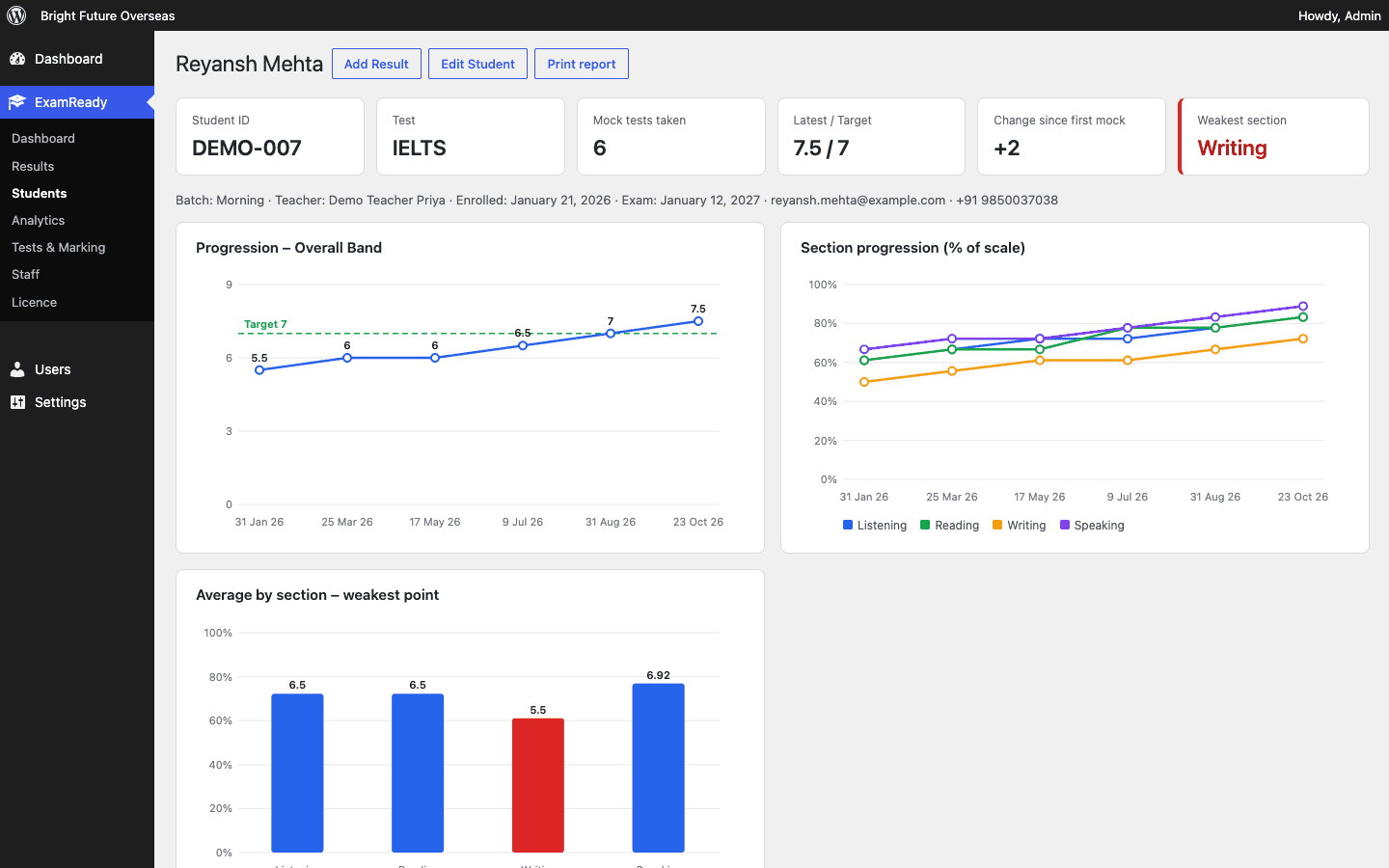
Student progress report – progression graph against the target, section graphs, the weakest point and every mock with its notes. Print it or save it as PDF for parents and counselling sessions.
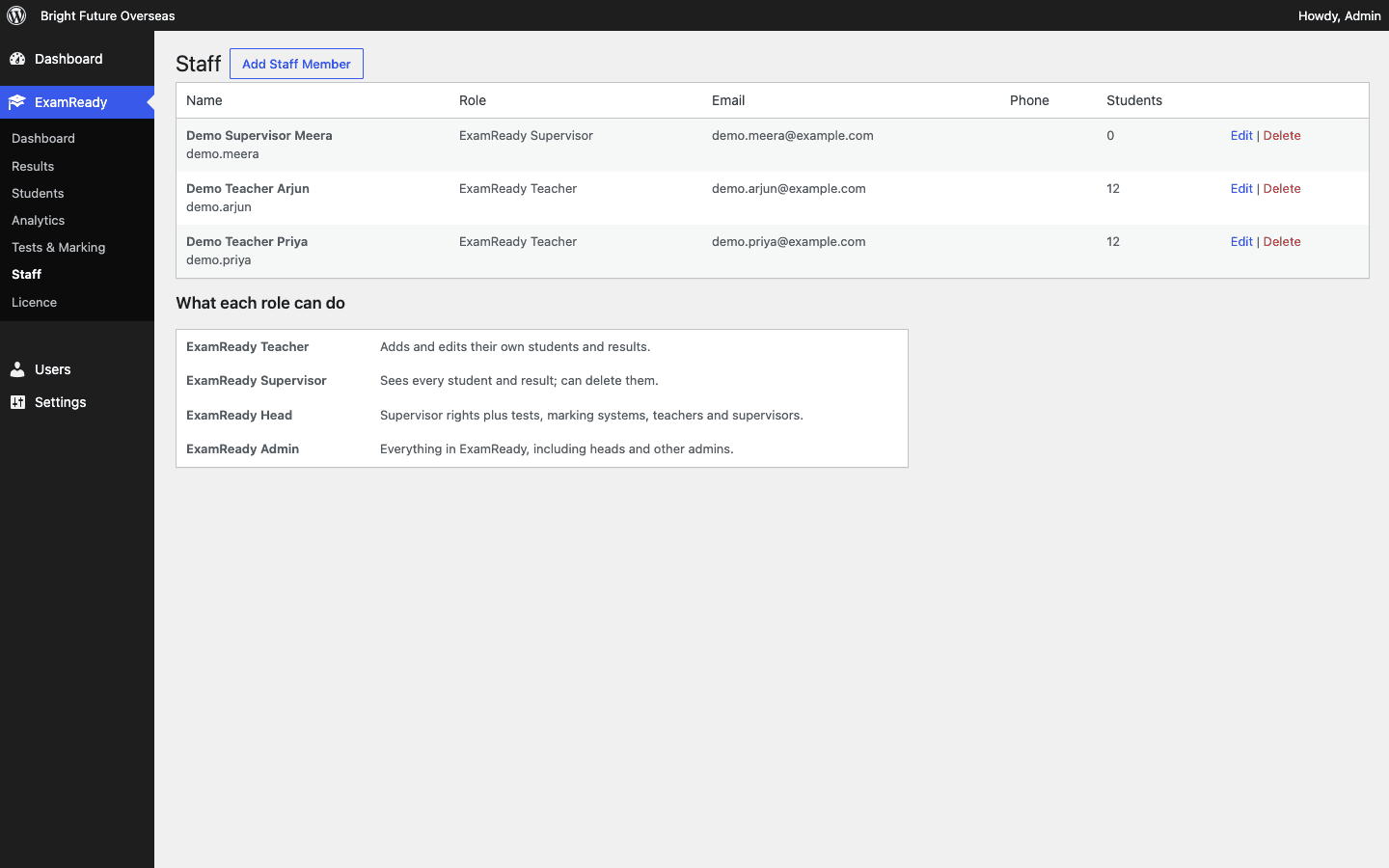
Staff roles – Teacher, Supervisor, Head and Admin, each with their own login. Teachers see only their own students.
Student result page – put [afojet_examready_result] on any page and students can check their results and teacher notes with their Student ID and registered email or phone.
CSV export – export results with all scores and notes for any test, batch or date range.
One-click demo data – load 24 fictional students with results and notes to explore every screen, then remove them with one click.
Who it is for
Study abroad and immigration consultants running IELTS, PTE or Duolingo coaching
Coaching institutes and tutors preparing students for GRE and GMAT
Branches where several teachers share students and a head needs the full picture
Requirements
WordPress 6.2 or later, PHP 7.4 or later
Works with any theme. Runs inside the WordPress dashboard; no external service is needed apart from licence checks and updates from afojet.com.
IELTS, PTE, Duolingo English Test, GRE and GMAT are trademarks of their respective owners. Afojet ExamReady is not affiliated with or endorsed by them. Scores in the plugin are mock test scores entered by your teachers, not official results.
Features
Why choose Afojet ExamReady
Marking systems
IELTS, PTE, Duolingo, GRE and GMAT ranges and rounding built in.
Student records
Batch, teacher, target score, enrolment and exam dates.
Mock results
Section scores with what went wrong and where to improve.
Analytics
Progression, weakest point, students who need attention.
Dashboard
Enrolments and mocks marked at a glance.
Student result page
Students check results with their ID and phone or email.
Staff roles
Teacher, Supervisor, Head and Admin logins.
One-click updates
Activate your licence and update from the WordPress dashboard.
Marking systems ready to use
IELTS, PTE Academic, Duolingo English Test, GRE and GMAT are set up when you activate the plugin, each with its own sections, range and step.
IELTS overall band rounded to the nearest half band
GRE total from Verbal + Quant, Writing kept separate
GMAT total entered from the official table
Add, edit or delete tests and create your own
Teacher notes on every section
After each mock the teacher writes what went wrong and where to improve for every section, plus an overall remark.
Scores checked against the test range
Overall worked out as you type
Manual override when needed
Notes shown on the student report
Progress and weakest point
See whether a student is ready before they book the real exam.
Overall score against target
Section trends on a common scale
Weakest and strongest section
Printable progress report
Dashboard and analytics
Enrolments, mocks marked and the weakest section for every test, with month-by-month progression.
Filter by test, batch, teacher and dates
Students who need attention
Top improvers
CSV export of results and notes
Staff roles
Teacher, Supervisor, Head and Admin logins, so each person sees what they should.
Teachers see only their own students
Supervisors see and delete everything
Heads manage tests and teachers
Admins manage everything
How Afojet ExamReady works
1
Install the plugin
Upload the zip under Plugins → Add New → Upload Plugin and activate it.
2
Activate your licence
Paste your afojet.com licence key under ExamReady → Licence.
3
Add your team and students
Add teachers under ExamReady → Staff, then add students or load the demo data to look around.
4
Mark mock tests
Enter section scores and notes after each mock, and follow progress on the dashboard and analytics.
Screenshots
See every screen
Click a picture to see it full size.
Pricing
One payment. No monthly fees.
1 Site
1 website
₹1,999
for 1 site
All features
1 website
Updates for 1 year
Support for 1 year
Best value
3 Sites
3 websites
₹2,999
for 3 sites
All features
3 websites (e.g. 3 branches)
Updates for 1 year
Support for 1 year
5 Sites
5 websites
₹3,499
for 5 sites
All features
5 websites
Updates for 1 year
Priority support for 1 year
Instant download after payment
Licence key emailed to you
Secure payment
7DAYS
7-day money-back guarantee
Not happy with your purchase? Contact us within 7 days of buying and we'll refund you in full.
Reviews
What buyers say
—
No reviews yet
5 ★0
4 ★0
3 ★0
2 ★0
1 ★0
Only verified buyers can review.Log in if you bought it — and get 50% off your next purchase for your review.
FAQ
Questions before you buy
Who is ExamReady for?
Study abroad consultants and coaching institutes that run IELTS, PTE, Duolingo, GRE or GMAT classes and want to track mock test scores and progress in WordPress.
Can I add my own test, such as TOEFL or a school entrance test?
Yes. Under ExamReady → Tests & Marking you can add any test with your own sections, minimum, maximum, step and how the overall score is worked out.
Are the scores official?
No. ExamReady stores mock test scores that your teachers enter. It is not connected to, or endorsed by, the exam owners.
Can students see their results?
Yes. Add the [afojet_examready_result] shortcode to a page. Students enter their Student ID and registered email or phone to see their results and teacher notes.
Can I try it with sample data?
Yes. Click "Import demo data" on the ExamReady dashboard to load 24 fictional students, and "Remove demo data" to clear them.
What happens when my licence expires?
ExamReady keeps working and your data stays. Renew to keep getting new versions and support.
Is my student data sent anywhere?
No. Student records stay in your own WordPress database. The plugin only contacts afojet.com for licence checks, updates and the optional demo data.
Changelog
What’s new
Version 1.0.0
Latest
1.0.0
First release.
Marking systems for IELTS, PTE Academic, Duolingo English Test, GRE and GMAT, plus your own tests.
Students, mock test results with section-wise teacher notes, CSV export.
Dashboard, progression and weakest-point analytics, printable student report.
Teacher, Supervisor, Head and Admin roles.
Student result page shortcode and one-click demo data.
afojet.com licensing and one-click updates.
Ready to get Afojet ExamReady?
Instant download · updates and support from the developers