Afojet PostPing Pro – Auto-send Blog Posts on WhatsApp
by Afojet InfotechWordPress plugin✓ Updated 31 Oct 2026v1.0.0
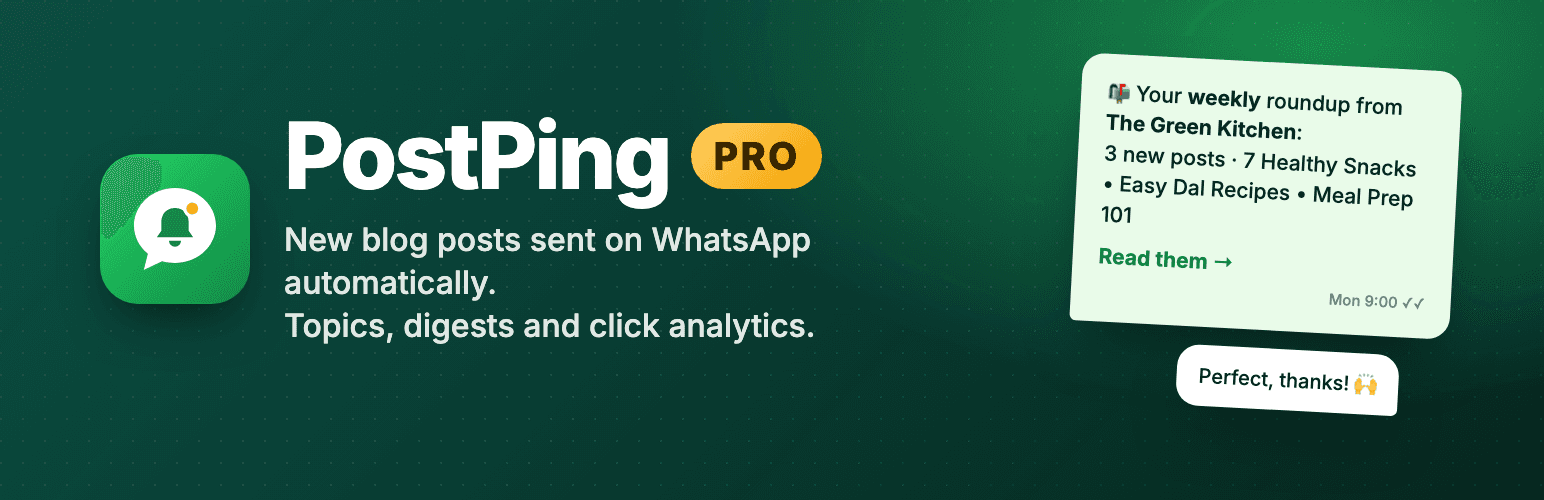
Send every new blog post to readers on WhatsApp automatically, with topic segments, daily and weekly digests, click analytics and OTP-verified sign-ups.
PostPing Pro turns your blog into a WhatsApp channel that runs itself. Readers subscribe with their WhatsApp number, pick the topics they care about, and get your new posts as WhatsApp messages – sent through the official WhatsApp Cloud API by Meta, so your number stays safe.
PostPing Pro is an add-on for the free Afojet PostPing plugin. Install the free plugin first, then upload Pro and enter your licence key.
What Pro adds
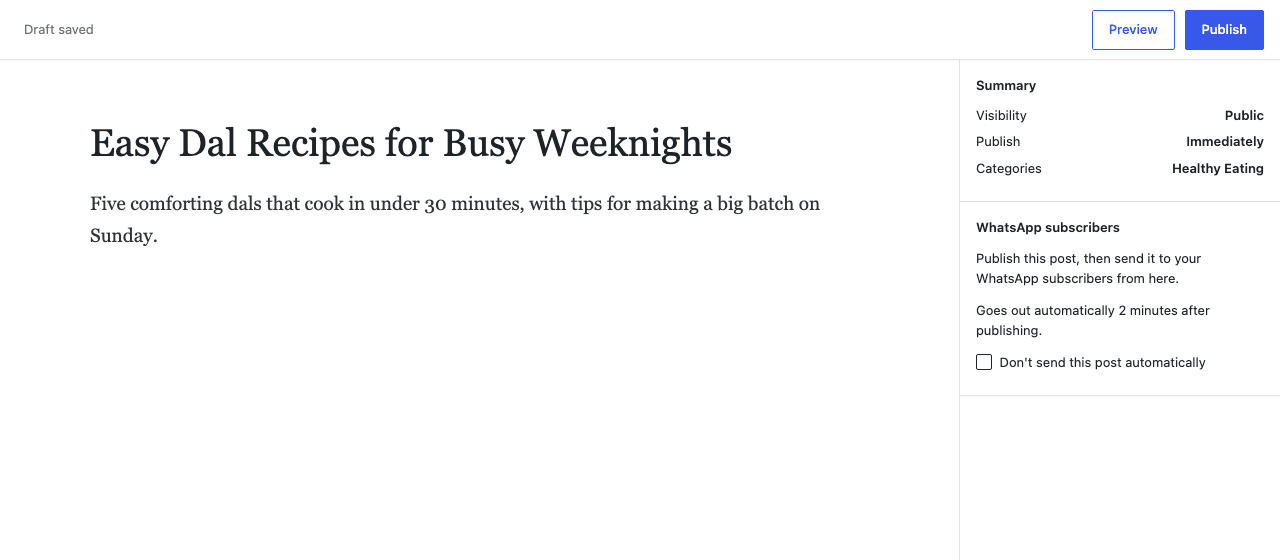
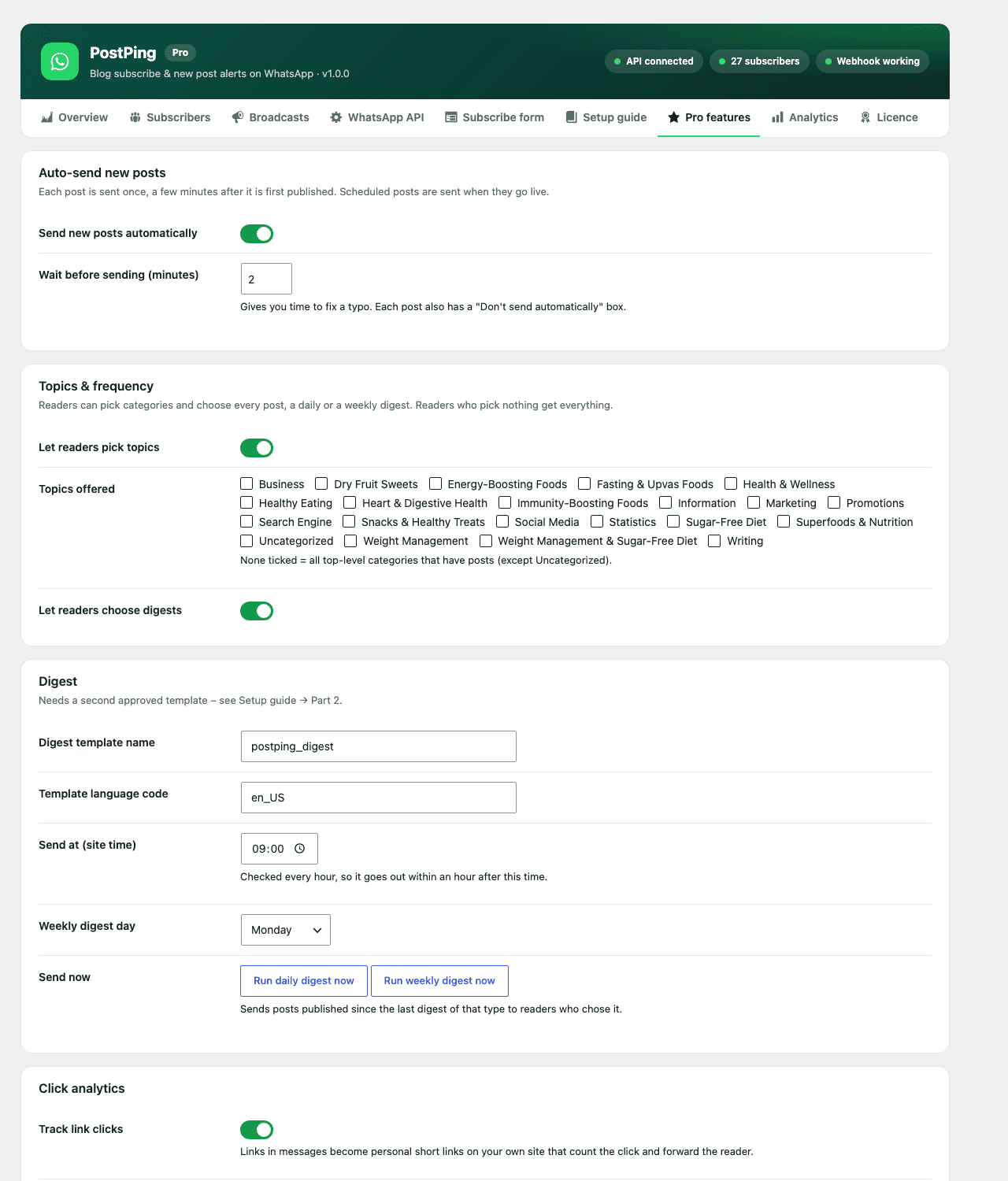
Auto-send new posts – every post you publish goes out on WhatsApp a few minutes later, by itself. Scheduled posts go out when they go live. Each post has a “Don't send automatically” box.
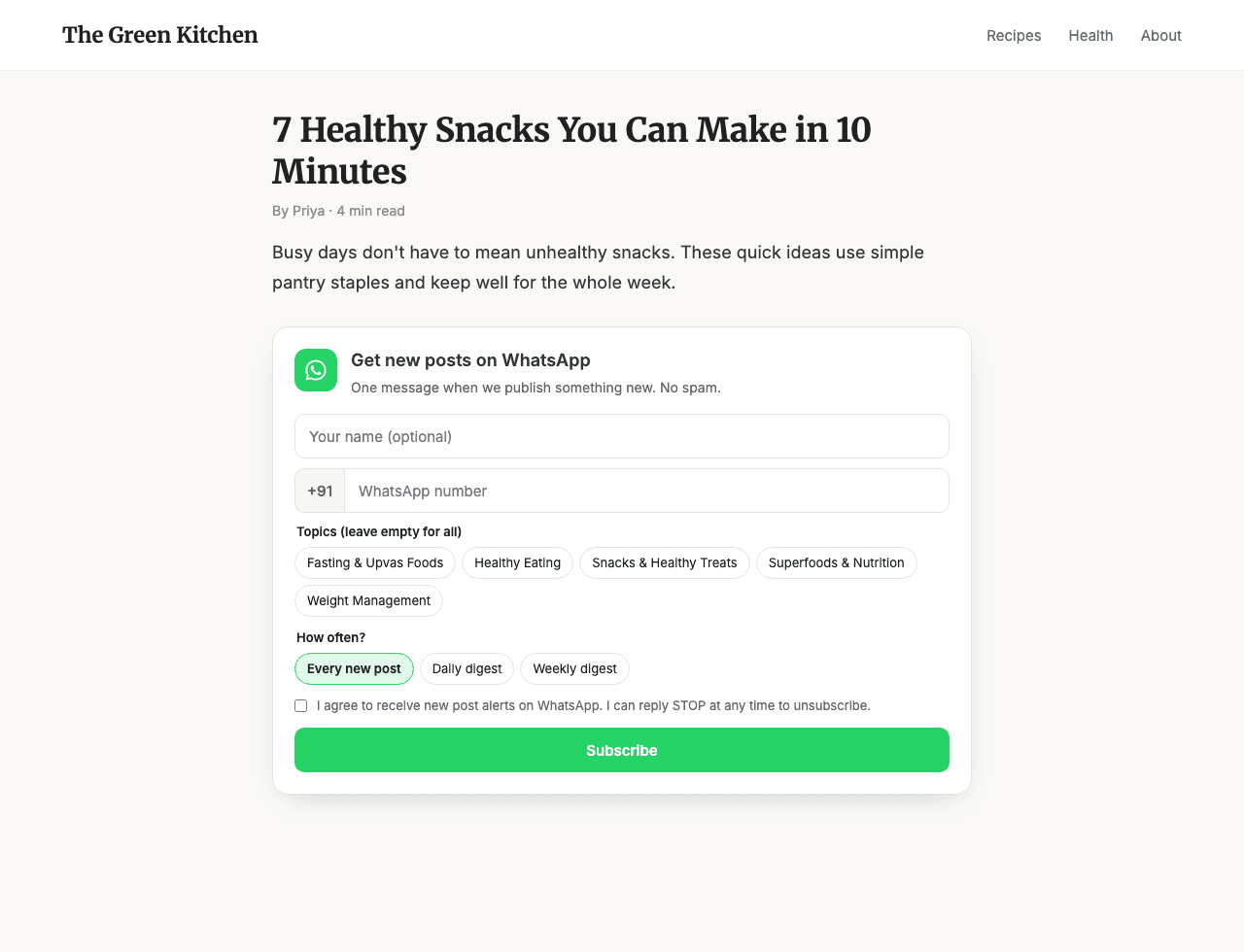
Topic segments – readers choose categories when they subscribe. A travel post only reaches readers who chose Travel. Readers who choose nothing still get everything.
Daily and weekly digests – readers who want fewer messages get one summary a day or a week, listing only the posts in their topics.
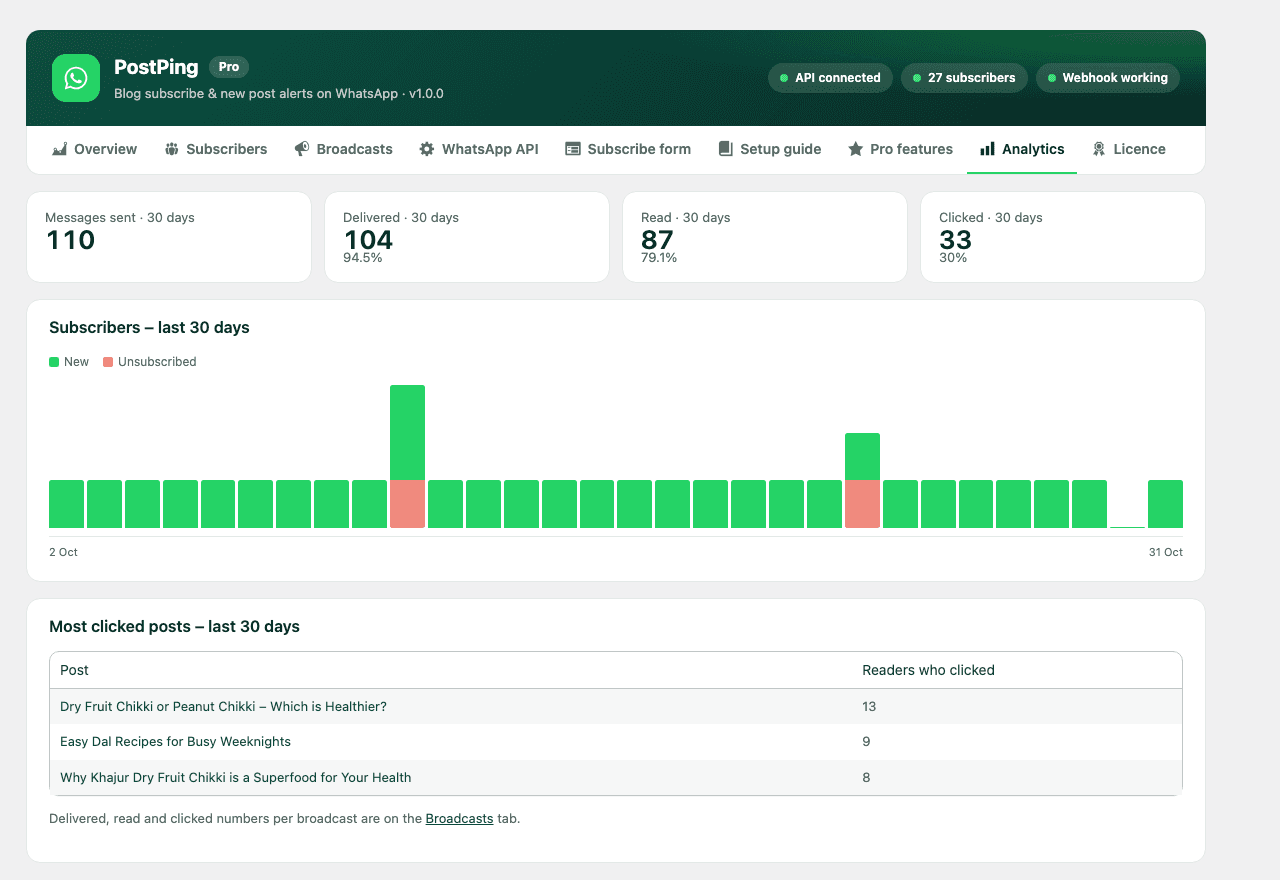
Click analytics – delivered, read and click rates for every broadcast, your most-clicked posts and a 30-day subscriber growth chart. Links carry UTM tags so Google Analytics shows WhatsApp as a traffic source.
OTP-verified opt-in – new subscribers confirm their number with a 6-digit WhatsApp code, so your list has only real numbers that agreed to hear from you.
One-click updates and licence management from your afojet.com account.
Included in the free plugin
Subscribe form (under posts, shortcode, block or floating button), one-click sending from the post editor, background sending in batches, automatic unsubscribe on STOP, delivery receipts, subscriber list with CSV export, and a built-in step-by-step guide for setting up the WhatsApp Cloud API and message templates.
What you need
The free Afojet PostPing plugin (from WordPress.org)
A WhatsApp Business account on Meta's Cloud API (free to set up; Meta charges per message)
Approved message templates – the plugin's setup guide gives you the exact text to copy
Licence
Pro features keep working after your licence expires; renew to keep getting updates and support. Move your licence to another site any time.
PostPing is made by Afojet Infotech and uses Meta's public WhatsApp Business Cloud API. It is not affiliated with or endorsed by WhatsApp or Meta.
Features
Why choose Afojet PostPing Pro
Auto-send
New posts go out on WhatsApp by themselves, a few minutes after publishing.
Topic segments
Each post reaches only the readers who chose its category.
Daily & weekly digests
One summary message for readers who want fewer alerts.
Click analytics
Delivered, read and click rates for every broadcast.
OTP-verified opt-in
New subscribers confirm their number with a WhatsApp code.
Smart delay
Time to fix a typo before a post is sent, plus a per-post "don't send" box.
Growth chart
New and lost subscribers for the last 30 days.
Official WhatsApp API
Sent through Meta's Cloud API, so your number stays safe.
One-click updates
Activate your licence and update from the WordPress dashboard.
Auto-send every new post
Publish as usual and PostPing sends the post to your WhatsApp subscribers a few minutes later. Scheduled posts go out when they go live.
Choose the delay before sending
A "Don't send automatically" box on every post
Each post is sent only once
Password-protected posts are never sent
Readers choose their topics
Readers tick the categories they care about when they subscribe, and pick how often they hear from you.
Topics from your own blog categories
Every new post, daily digest or weekly digest
Readers who pick nothing still get everything
Choices are saved only after OTP confirmation
Daily and weekly digests
Readers who want fewer messages get one summary a day or a week, listing only the new posts in their topics.
Send time and weekday you choose
Readers with nothing new are skipped and not charged
One tap opens the post or your blog page
"Run now" buttons to test a digest
Click analytics
See exactly how each broadcast performs, from delivery to the click on your post.
Delivered, read and click rates for every broadcast
30-day subscriber growth chart
Most-clicked posts
UTM tags so Google Analytics shows WhatsApp traffic
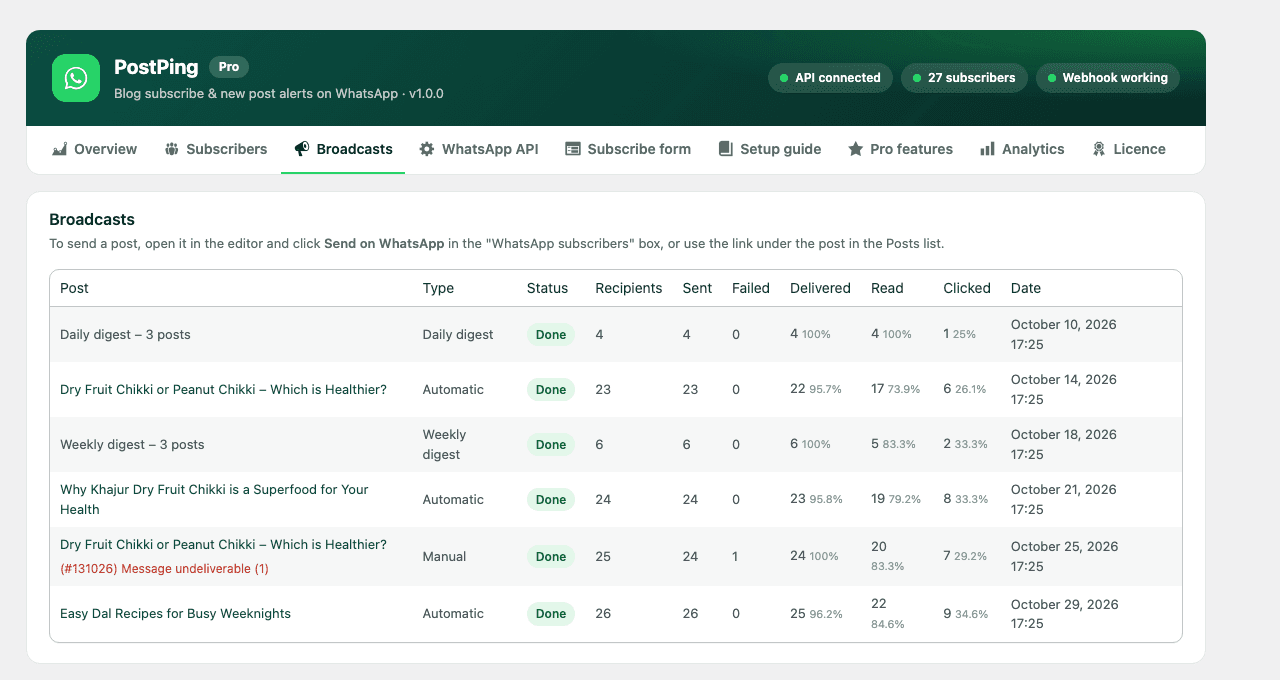
Every broadcast at a glance
The Broadcasts list shows recipients, sent, failed, delivered, read and clicked numbers side by side, with WhatsApp's exact reason for any failure.
Manual, automatic and digest broadcasts in one list
Stop a broadcast that is still sending
Undeliverable numbers are marked automatically
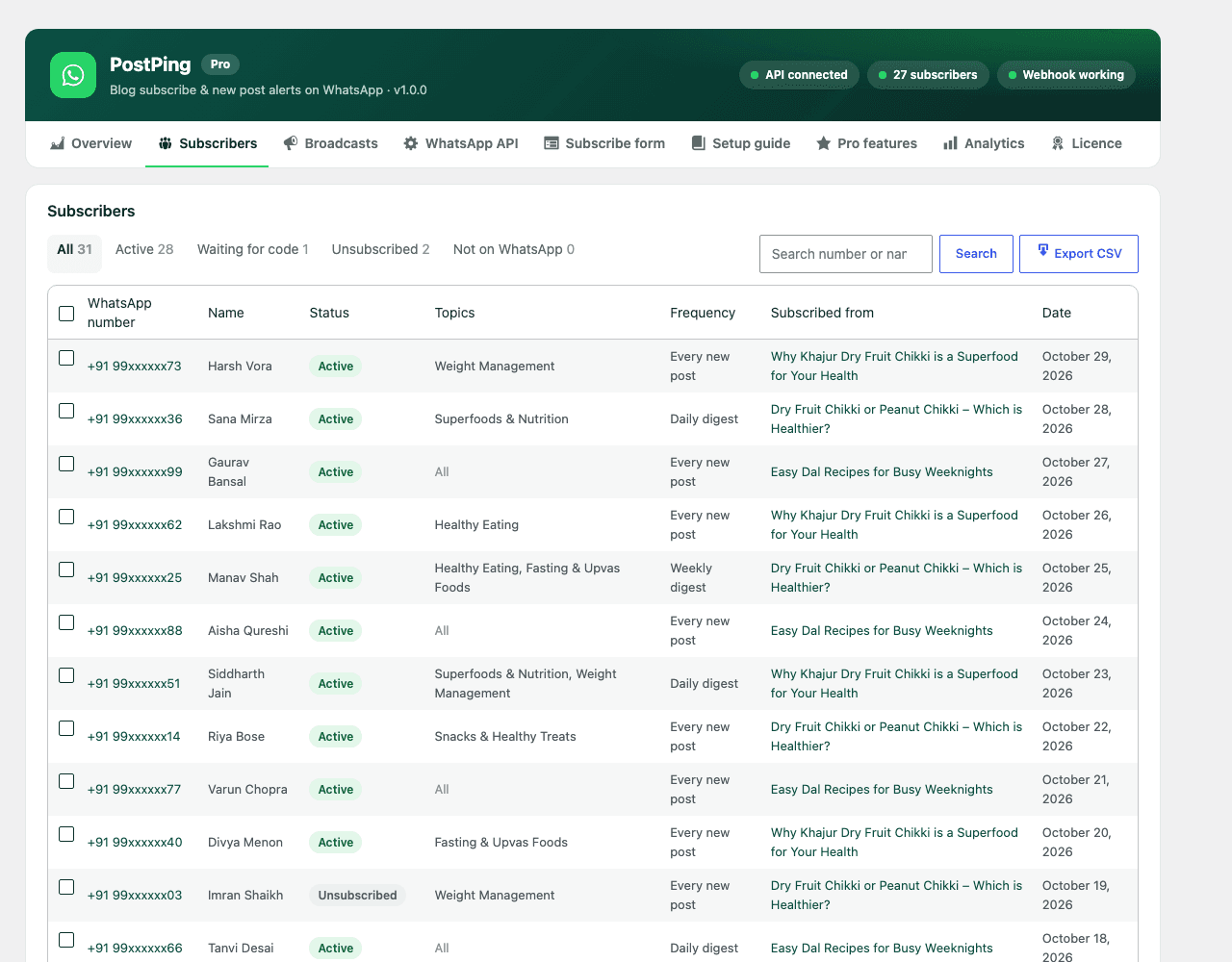
Subscribers you can trust
With OTP-verified opt-in, every new subscriber confirms their number with a 6-digit WhatsApp code, so your list contains only real people who asked to hear from you.
Uses a WhatsApp Authentication template with a Copy code button
Code limits and wait times stop abuse
Topics and frequency shown for every subscriber
CSV export
How Afojet PostPing Pro works
1
Install both plugins
Install the free Afojet PostPing from WordPress.org, then upload PostPing Pro.
2
Activate your licence
Paste your afojet.com licence key under PostPing → Licence.
3
Connect WhatsApp
Follow the built-in setup guide to add your Meta Cloud API details and approved templates.
4
Publish as usual
New posts go out on WhatsApp by themselves, filtered by each reader's topics.
Screenshots
See every screen
Click a picture to see it full size.
Pricing
One payment. No monthly fees.
1 Site
1 website
₹1,499
for 1 site
All Pro features
1 website
Updates for 1 year
Support for 1 year
Best value
5 Sites
5 websites
₹3,499
for 5 sites
All Pro features
5 websites
Updates for 1 year
Support for 1 year
Unlimited Sites
999 websites
₹6,999
for unlimited sites
All Pro features
Unlimited websites
Updates for 1 year
Priority support for 1 year
Instant download after payment
Licence key emailed to you
Secure payment
7DAYS
7-day money-back guarantee
Not happy with your purchase? Contact us within 7 days of buying and we'll refund you in full.
Reviews
What buyers say
—
No reviews yet
5 ★0
4 ★0
3 ★0
2 ★0
1 ★0
Only verified buyers can review.Log in if you bought it.
FAQ
Questions before you buy
Do I need the free PostPing plugin?
Yes. Pro is an add-on. Install the free Afojet PostPing plugin from WordPress.org first, then upload Pro and enter your licence key under PostPing → Licence.
Do I need a WhatsApp Business account?
Yes. You need Meta's WhatsApp Cloud API with a phone number and approved message templates. Setup is free and the plugin's step-by-step guide walks you through it, including the exact template text to copy.
Does Meta charge for WhatsApp messages?
Yes. Meta charges a small fee per delivered marketing message, based on the reader's country. PostPing adds no per-message fee.
Which extra templates does Pro need?
A digest template if you offer daily or weekly digests, and an Authentication (one-time code) template if you switch on OTP opt-in. The setup guide shows both.
How do readers unsubscribe?
They reply STOP, tap "Stop promotions" in WhatsApp, or use their personal unsubscribe link. You can also unsubscribe anyone from the subscriber list.
Will it send old posts when I activate it?
No. Auto-send only sends posts published after it is switched on, and each post is sent once.
What happens when my licence expires?
All Pro features keep working. Renew to keep getting new versions and support.
Is this an official WhatsApp product?
No. PostPing is made by Afojet Infotech and uses Meta's public WhatsApp Business Cloud API. It is not affiliated with WhatsApp or Meta.
Changelog
What’s new
Version 1.0.0
Latest
1.0.0
First release.
Auto-send new posts on WhatsApp, with delay and per-post opt-out.
Topic segments by category.
Daily and weekly digests.
Click analytics with delivered, read and click rates.
OTP-verified opt-in.
afojet.com licensing and one-click updates.
Ready to get Afojet PostPing Pro?
Instant download · updates and support from the developers